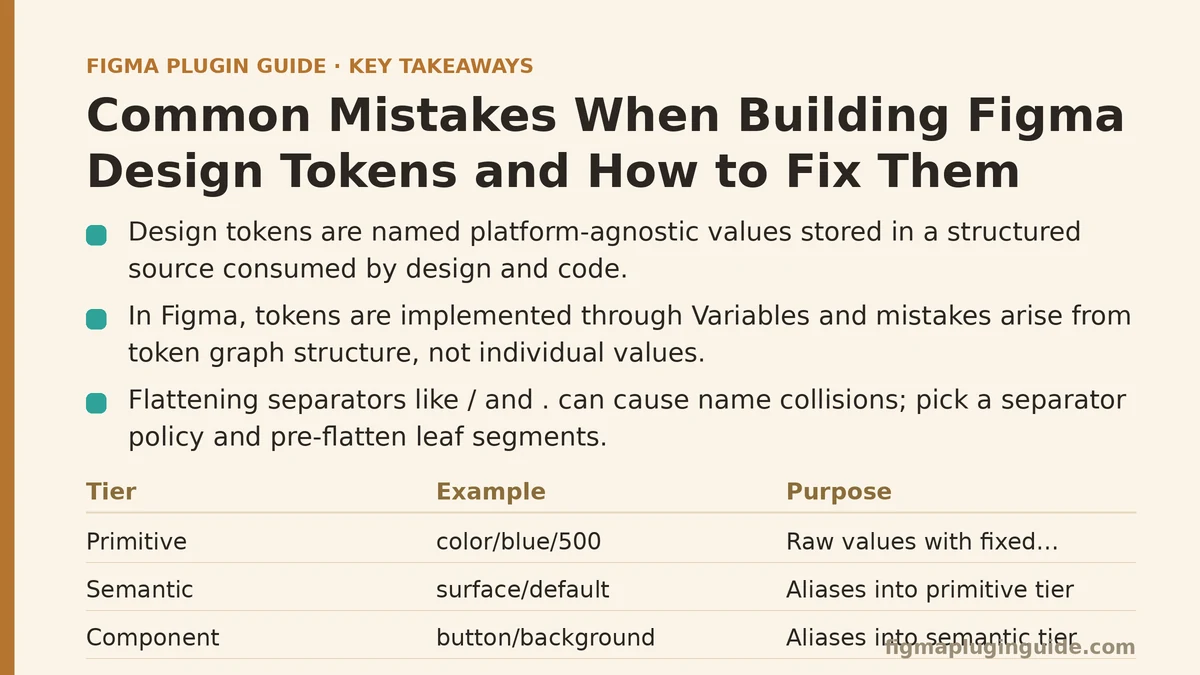
Design tokens are named, platform-agnostic values — color, spacing, typography, radius, and similar primitives — stored in a structured source that both design tools and code consume. In Figma, the token layer is implemented through Variables, and the mistakes that break token systems are rarely about individual values being wrong. They emerge from how the token graph is structured: how names nest, how aliases chain, how modes multiply, and how the Figma side stays in sync with a code-side source of truth.
This walkthrough follows a single, common failure: a token set that starts clean in Figma and progressively breaks once it is exported to code and re-imported. Each stage of the narrative surfaces one structural mistake and the fix for it.
The Setup: A Token Set That Looks Correct in Figma
Assume a token collection in Figma Variables with three tiers:
- Primitive tier — raw values with fixed names:
color/blue/500,color/gray/100,spacing/4,spacing/8. - Semantic tier — aliases into the primitive tier:
surface/default,surface/muted,text/primary,border/subtle. - Component tier — aliases into the semantic tier:
button/background,button/label,card/border.
On paper this is the standard three-tier structure that most token guidance recommends. The mechanics look sound: primitives hold no semantic meaning, semantics describe intent, components bind to intent. The problems start when this structure is exported — to a JSON file, to a CSS custom property sheet, or through a sync plugin — and then read back into Figma on the next cycle.
Mistake One: Names That Collide After Transformation
The first exported JSON looks like this:
{
  "color": {
    "blue": { "500": { "value": "#3B82F6", "type": "color" } },
    "gray": { "100": { "value": "#F3F4F6", "type": "color" } }
  },
  "surface": {
    "default": { "value": "{color.gray.100}", "type": "color" },
    "muted":   { "value": "{color.gray.100}", "type": "color" }
  },
  "text": {
    "primary": { "value": "{color.gray.900}", "type": "color" }
  }
}
A token transform tool like Style Dictionary or a custom exporter flattens this into CSS custom properties. The flattening step replaces / and . separators with -. That produces --color-blue-500, --surface-default, and --text-primary — which look fine.
The collision appears when the primitive naming uses a numeric scale and the semantic tier also uses numbers. Add spacing/1 and spacing/2 alongside radius/1 and radius/2, and a transform that splits on / then joins on - can produce --spacing-1-2 from a two-segment name colliding with a three-segment name. The transform tool does not know your intent; it only knows separators.
The fix: pick a separator policy and enforce it at the source, not the transform. Figma Variables allow / in names, and / is the natural group separator inside Figma’s UI. But export tools vary in how they treat it. A safer policy is to make the Figma name use / for grouping and pre-flatten the leaf segment to a single token-scoped token, e.g. spacing/scale/1 rather than spacing/1. That gives the export transform a consistent depth and eliminates ambiguity between group segment and leaf segment.
// Flatten Figma variables to CSS custom properties with an explicit policy.
// key: "surface/default" -> "--surface-default"
// key: "spacing/scale/4"  -> "--spacing-scale-4"
function flattenName(figmaName, namespace = '') {
  const segments = figmaName.split('/').filter(Boolean);
  // Reject names that mix separators — these are the collision vectors.
  if (segments.some(s => s.includes('.') || s.includes(' '))) {
    throw new Error(`Ambiguous token name: ${figmaName}`);
  }
  const kebab = segments
    .map(s => s.replace(/([a-z0-9])([A-Z])/g, '$1-$2').toLowerCase())
    .join('-');
  return namespace ? `--${namespace}-${kebab}` : `--${kebab}`;
}
The validation step matters more than the flattening itself. A name containing both / and . cannot be safely transformed without ambiguity, so the export pipeline should fail loudly rather than guess.
Mistake Two: Alias Chains That Exceed One Hop
The three-tier structure above implies that component tokens alias to semantic tokens, which alias to primitive tokens. That is the intention. In practice, aliases often grow chains deeper than expected as teams add intermediate layers — a state/hover tier that aliases surface/muted, which aliases surface/default, which aliases color/gray/100. Now a token representing a button’s hover background is four hops from its primitive.
Figma Variable resolution handles multi-hop aliases, but export tools do not always resolve them the same way. Some exporters resolve aliases at build time, inlining the final primitive value. Others emit a reference that must be resolved at runtime by the consuming platform. If the exporting tool and the consuming platform disagree about resolution timing, a token can appear correct in one context and stale in another — most commonly, a hover state set in Figma renders differently from the same token consumed in CSS because the CSS layer cached the resolved value at build time while Figma re-resolves live.
The fix: enforce a maximum alias depth of two hops — one from component to semantic, one from semantic to primitive — and validate it in a script that runs on export.
// Verify alias depth never exceeds maxDepth hops.
// `graph` maps token name -> referenced token name (or null for primitives).
function validateAliasDepth(graph, maxDepth = 2) {
  const violations = [];
  for (const start of Object.keys(graph)) {
    let current = start;
    let depth = 0;
    const seen = new Set();
    while (graph[current]) {
      if (seen.has(current)) {
        violations.push({ token: start, reason: 'cycle', path: [...seen, current] });
        break;
      }
      seen.add(current);
      current = graph[current];
      depth += 1;
      if (depth > maxDepth) {
        violations.push({ token: start, reason: 'depth', depth, path: [...seen, current] });
        break;
      }
    }
  }
  return violations;
}
Cycle detection is included because a two-hop limit alone will not catch the case where A -> B -> A. In a Figma Variables context, a direct cycle produces a warning in the variables panel, but multi-hop cycles that end at a token previously visited in the chain are easy to introduce while refactoring.
Mistake Three: Mode Drift Between Figma and Code
Figma Variables support modes — light and dark, or brand A and brand B — as parallel value sets on the same token. A token such as surface/default has a value for each mode. Consuming platforms typically express the same thing as theme classes or media queries.
Mode drift happens when a new mode is added in Figma but no corresponding theme is added in code, or when the set of tokens written per mode differs between the two sides. A common form: a design adds surface/raised for dark mode only, with no light-mode value. Figma fills the missing mode with the token’s default, which may silently produce an unintended value. The export writes a single value for surface/raised and the code-side theme inherits the light-mode fallback for dark.
The fix: require that every token has an explicit value in every declared mode, and validate before export. In the Figma Variables API, this means enumerating variable.valuesByMode and checking each mode ID is present.
// For each variable, ensure every mode in the collection has an explicit value.
async function assertNoModeGaps(collection, variable) {
  const modes = await collection.modes; // [{ modeId, name }, ...]
  const values = variable.valuesByMode;  // { [modeId]: value }
  const missing = modes
    .filter(m => !(m.modeId in values))
    .map(m => m.name);
  if (missing.length > 0) {
    throw new Error(
      `Token "${variable.name}" is missing values for mode(s): ${missing.join(', ')}`
    );
  }
}
If a token truly is mode-invariant — a spacing value, for example — the correct fix is not to omit the value but to alias it to a primitive token that exists in all modes. That preserves a uniform shape across the export and prevents consumers from needing to special-case tokens that only apply to one mode.
Mistake Four: The Sync Direction Is Ambiguous
Token systems either treat Figma or treat a code-side source (a tokens.json, a tokens package, a design-tokens style repo) as the source of truth. The mistake is not choosing one — it is leaving the direction ambiguous so that both sides are editable.
Ambiguous direction produces a specific, frustrating class of bug: a designer changes a semantic token in Figma, a developer changes the same token in code, both sync jobs run, and the last write wins. The losing change becomes silently reverted. The failure is quiet, which is what makes it expensive — there is no build error, only a diff that reappears after every sync.
The fix: pick one source of truth and make the other side read-only. If the source is Figma, the code-side JSON is generated and committed by a bot on every Figma change; no human edits tokens.json by hand. If the source is code, Figma Variables are imported rather than authored, and the Variables panel is treated as a rendering surface.
The implementation path for a Figma-as-source setup:
- Designers edit Variables in Figma.
- A scheduled job reads the Variables API, exports to
tokens.json, and opens a PR. - CI validates alias depth, name collisions, and mode gaps on the PR.
- On merge, a build step emits platform-specific output — CSS custom properties, a Tailwind config, an iOS asset catalog, an Android
colors.xml. - If anyone edits
tokens.jsondirectly, CI fails with a message pointing back to the Figma file.
Step five is the part teams skip, and it is the part that keeps the direction unambiguous. A pre-commit hook or CI check that rejects hand edits to generated files is the enforcement mechanism; without it, the ambiguity returns the first time someone is in a hurry.
# CI guard: fail if generated token files were hand-edited.
# The generated files carry a header comment; check it survived the diff.
if ! head -1 tokens.json | grep -q "GENERATED FILE — DO NOT EDIT"; then
  echo "tokens.json was hand-edited. Regenerate from Figma Variables."
  exit 1
fi
Verifying the Fix
After applying the four fixes above — separator policy, alias depth limit, mode completeness, and a single source of truth — the verification path is a re-export and a diff:
- Export tokens from Figma to
tokens.json. - Run the export a second time without changing anything in Figma.
- Diff the two outputs.
A clean token pipeline produces an identical file on both runs. If the diff is non-empty, the most likely causes are unstable ordering (sort by token path explicitly) or a floating value coming from a Figma text style that has not been converted to a variable. Both are worth resolving before the pipeline is trusted for automated PRs.
- Change a single primitive value in Figma, re-export, and confirm exactly one line in
tokens.jsonchanged. If more than one line changed, alias resolution is inlining values that should be references — a sign the export tool’s resolution strategy does not match your intent.
When This Structure Is Too Much
The three-tier structure with strict validation is worth it for a system consumed by more than one platform, or by more than one team, or where mode support is a real requirement. It is overkill for a solo project or a single-platform codebase where the design token list is under roughly fifty entries and modes are not needed. In that case, a flat list of tokens with a single separator and no semantic tier is faster to maintain and produces the same visual result. Adding tiers and validation to a small system introduces the alias-depth and mode-gap problems without the scale that justifies solving them.
The test is simple: if you have ever needed to change a primitive value and have it propagate correctly across more than two consumer surfaces without editing the consumers, the structure pays for itself. If not, keep it flat until it does.
Related guides: Common Mistakes When Syncing Design Tokens Between Figma and Code, Figma Plugin Tutorial for Beginners: Building a Design Token Exporter, and Figma Variables vs Styles: When to Use Which.