A token sync that runs perfectly on Monday breaks on Tuesday, and the breakage is almost never caused by the sync script itself. In practice, the overwhelming majority of sync failures trace back to five structural decisions made before the first token ever leaves Figma: naming conventions that don’t survive translation, alias chains that collapse under ordering, missing metadata that forces manual guessing, version drift between the design file and the codebase, and build pipelines that silently accept truncated output. Each one is preventable, and each one has a predictable signature.
Step 1: Define the Token Schema Before You Define Any Tokens
The most expensive mistake in token sync is starting with a Figma file that already has hundreds of styles, then deciding later how to map them to code. By that point, naming inconsistencies are baked in.
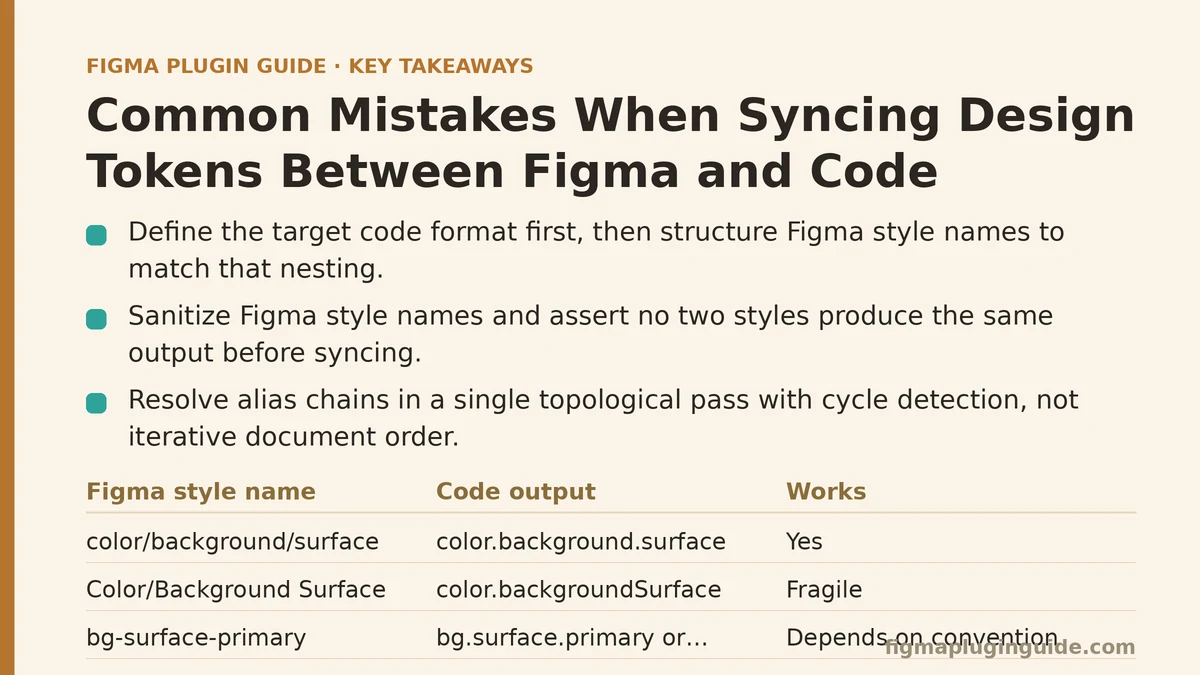
The rule that prevents most downstream pain: decide the target format first, then structure Figma styles to match. If your codebase consumes tokens as nested JSON (Style Dictionary format), the Figma style names must encode that nesting. A style named color/background/surface maps to color.background.surface. A style named Background Surface does not.
Concrete mapping rules that hold up in production:
| Figma style name pattern | Code output | Works |
|---|---|---|
color/background/surface | color.background.surface | Yes |
Color/Background Surface | color.backgroundSurface (ambiguous) | Fragile |
bg-surface-primary | bg.surface.primary or bgSurfacePrimary | Depends on convention |
Brand Primary | brandPrimary (flat) | Only if flat is intended |
The failure mode you will hit: Figma allows characters in style names that JavaScript object keys cannot contain. Spaces, slashes, periods, and dashes are all legal in Figma. None of them are safe as-is in code. A sync script that blindly concatenates names will produce keys like "color.background.surface/primary" — a string that is valid as a JS key but breaks the nesting convention your Style Dictionary config expects.
Here is a name-sanitizing function that handles the common cases:
// token-name-sanitizer.mjs
export function sanitizeTokenName(figmaName) {
  // Figma uses "/" for path separators; convert to "."
  const pathified = figmaName.replace(/\//g, '.');

  // Replace spaces and remaining special chars with "-"
  const cleaned = pathified
    .replace(/\s+/g, '-')           // spaces -> dashes
    .replace(/[^a-zA-Z0-9.\-_]/g, '') // strip anything else

  // Enforce lowercase for consistency in code output
  return cleaned.toLowerCase();
}

// Verify:
// "Color/Background Surface Primary" -> "color.background-surface-primary"
// "Spacing/XS" -> "spacing.xs"
Verify the mapping works end-to-end. Run the sanitizer against every style name in your Figma file and assert that no two styles produce the same output. Duplicate collisions are the silent killer — two styles named Color/Background Surface and Color/Background-Surface both produce color.background-surface, and whichever syncs last wins. Add this check to the sync script itself:
// In your sync script, after collecting all styles:
const outputNames = styles.map(s => sanitizeTokenName(s.name));
const duplicates = outputNames.filter((name, i) => outputNames.indexOf(name) !== i);
if (duplicates.length > 0) {
  throw new Error(`Duplicate token names after sanitization: ${duplicates.join(', ')}`);
}
This single assertion catches more sync bugs than any other guard you can add.
Step 2: Resolve Alias Chains in a Single Pass — With Cycle Detection
Design systems lean heavily on aliases. A token named color.brand.primary often points to color.palette.blue.500, which might itself point to a raw hex value. When tokens also reference each other across categories — spacing.card-padding might equal spacing.md, which equals spacing.base — the resolution order matters.
The mistake: resolving aliases iteratively in document order. If token A references token B, and B appears later in the Figma file, a naive single-pass sync will export A with its literal alias reference ({color.brand.primary}) instead of the resolved value. By the time B is processed, A is already written to the output.
The fix: a two-phase resolution. First, build a complete map of all tokens and their raw values or references. Second, resolve every reference in a single topological pass, detecting cycles as you go.
// resolve-tokens.mjs
export function resolveTokens(tokenMap) {
  const resolved = {};
  const resolving = new Set();

  function resolveKey(key, chain = []) {
    if (resolved[key] !== undefined) return resolved[key];
    if (resolving.has(key)) {
      const cycle = [...chain, key].join(' -> ');
      throw new Error(`Circular token reference detected: ${cycle}`);
    }

    resolving.add(key);
    const raw = tokenMap[key];
    let value = raw;

    if (typeof raw === 'string' && raw.startsWith('{') && raw.endsWith('}')) {
      const refKey = raw.slice(1, -1);
      if (!tokenMap[refKey]) {
        throw new Error(`Token "${key}" references missing token "${refKey}"`);
      }
      value = resolveKey(refKey, [...chain, key]);
    }

    resolving.delete(key);
    resolved[key] = value;
    return value;
  }

  for (const key of Object.keys(tokenMap)) {
    resolveKey(key);
  }

  return resolved;
}

// Usage:
// const tokenMap = {
//   'color.brand.primary': '{color.palette.blue.500}',
//   'color.palette.blue.500': '#2563EB',
// };
// resolveTokens(tokenMap);
// -> { 'color.brand.primary': '#2563EB', 'color.palette.blue.500': '#2563EB' }
Why you need cycle detection and not just recursion: alias chains that loop — A references B, B references C, C references A — will otherwise cause an infinite loop that crashes the sync script with a stack overflow, leaving no trace of which tokens caused the problem. The explicit cycle detection above produces an error message naming the exact token chain. In practice, a design system with 400+ tokens tends to see cycles roughly once per quarter, usually introduced by a designer repurposing an existing token without checking its references.
Step 3: Carry the Metadata That Code Needs
Most sync scripts extract token name, value, and type (color, spacing, typography). That is often insufficient, and the missing fields cause silent downstream failures.
The three metadata fields that matter:
- The original Figma node ID. When a developer needs to trace a token back to its source style, scrolling through thousands of style names is not viable. Storing
styleIdornodeIdin the exported JSON makes the reverse lookup possible. - The token’s grouping path as it exists in Figma. Sometimes the Figma file organizes styles differently from how code wants to consume them. Exporting the raw Figma path (e.g.,
Organization/Light/Colors/Background) preserves optionality. - A stable unique identifier that survives renaming. Style names change during design iterations. If your code imports tokens by name, a rename breaks every reference in the codebase. Exporting a UUID or the style’s Figma ID allows code to reference the ID while displaying the human-readable name.
A token export shape that includes these:
{
  "color": {
    "background": {
      "surface": {
        "$value": "#FFFFFF",
        "$type": "color",
        "$extensions": {
          "figma": {
            "styleId": "S:2f3a9c1e-7d84-4a0b-9f42-6d1e8a4b0c62",
            "nodeId": "0:42",
            "sourcePath": "Global/Colors/Background/Surface"
          }
        }
      }
    }
  }
}
The trade-off: including $extensions makes your token files larger and slightly harder to read by hand. The cost is worth it — teams that skip this step eventually find themselves manually searching the Figma file for a specific hex value, which defeats the purpose of having a sync at all.
Where this fails if you skip it: a designer renames color.background.surface to color.surface.default. Without the style ID captured in the export, the codebase still references color.background.surface, which no longer exists. Every consumer throws an error at build time. With the ID, the sync script can detect that the style ID S:2f3a... now has a new name, and output both the old and new names with a deprecation warning.
Step 4: Build Idempotent Syncs That Fail Loudly on Partial Output
A sync that runs half-way and exits cleanly is worse than a sync that crashes immediately — the half-synced state is what ships to production. Two safeguards prevent this:
First — write to a temp file, validate, then atomically rename. Do not write directly to the output path. If the sync script crashes midway, the destination file will contain truncated or interleaved JSON. Write to tokens.tmp.json, validate that it parses and contains the expected token count, then rename it over tokens.json.
// sync-core.mjs
import { writeFile, rename, readFile } from 'node:fs/promises';

export async function atomicWrite(filePath, content) {
  const tempPath = `${filePath}.tmp`;
  await writeFile(tempPath, content);

  // Validate the content is parseable JSON before swapping
  try {
    JSON.parse(content);
  } catch (e) {
    await rm(tempPath, { force: true });
    throw new Error(`Sync produced invalid JSON: ${e.message}`);
  }

  await rename(tempPath, filePath);
}
Second — assert a minimum token count. The most common silent failure occurs when a sync exports zero tokens because the Figma API request failed silently, returning an empty array. The script proceeds, overwrites the production token file with an empty object, and the design system breaks entirely. A simple count assertion catches this:
// At the end of your sync script:
const expectedMinTokens = 200; // set this based on your design system
const actualCount = Object.keys(resolvedTokens).length;
if (actualCount < expectedMinTokens) {
  throw new Error(`Token count ${actualCount} below expected minimum ${expectedMinTokens}. Sync aborted.`);
}
The failure mode you will see without this: a network hiccup during the Figma API call returns a 200 with an empty body. Your sync script processes zero styles, resolves zero tokens, and writes an empty file. The design system’s CSS build consumes the empty file and generates zero custom properties. The UI renders with default browser styling. The breakage is discovered hours later when a developer notices the missing styles — and by then, the faulty sync has already committed to the repository.
Step 5: Version-Lock the Sync and Track Drift Over Time
The final common mistake is treating token sync as a stateless operation. In practice, tokens drift between the Figma design file and the codebase because both sides are being edited independently. A developer may add a token in code during a prototyping session. A designer may create experimental tokens in a branch that never gets reviewed. Neither action triggers the other side to update.
The fix — a drift comparison that runs alongside the sync:
// drift-check.mjs
export function findDrift(existingTokens, latestTokens) {
  const drift = {
    missing: [],    // in code but not in latest sync
    added: [],      // in latest sync but not in code
    changed: []     // value differs between the two
  };

  for (const key of Object.keys(existingTokens)) {
    if (!latestTokens[key]) drift.missing.push(key);
    else if (existingTokens[key] !== latestTokens[key]) drift.changed.push(key);
  }

  for (const key of Object.keys(latestTokens)) {
    if (!existingTokens[key]) drift.added.push(key);
  }

  return drift;
}
Use the drift output as a PR comment, not a build blocker. On every sync, generate a drift report that lists added, removed, and changed tokens. A human reviews the report and decides whether the change is intentional. Blocking the build on every token change creates notification fatigue that gets ignored; allowing all changes silently defeats the purpose of tracking. The middle path — visible drift report, with blocking only on removed tokens or suspected alias breakage — works best in practice.
The threshold that matters: token change frequency spikes in the week before a design handoff. A drift report that would normally show 2–3 changes will show 40–60. That spike is the signal to schedule a dedicated review session rather than skim the diff during a busy day.
Putting It All Together: The Sync Pipeline That Holds Up
The five steps assemble into a pipeline that catches its own failures:
- Export styles from Figma via the REST API (or a plugin hooking the same endpoint).
- Sanitize all names and assert no duplicate outputs.
- Resolve alias chains with cycle detection.
- Attach metadata (
styleId,nodeId, raw source path). - Write atomically with a minimum-count assertion.
- Run the drift check against the previous output and report the diff.
The pipeline fails loudly at any step where input looks wrong — duplicate names, missing aliases, cycles, empty exports, or unexpected counts. Each failure message names the specific token or tokens that caused it. That specificity is what separates a sync worth keeping from one that gets disabled after its third false alarm.
When this advice does not apply: single-designer projects with fewer than fifty tokens and no shared codebase often do not need the full pipeline. A flat JSON export with manual copy-paste into a styling file works fine at that scale. The complexity is justified the moment multiple people edit tokens on either side of the sync, or when the token set drives more than one consumer (web, mobile, docs).
The Verification Step: Prove the Sync Matches the Source
A sync is unproven until you have verified its output renders identically to the Figma source. Automated verification is difficult because rendering engines differ, but a proxy check works reliably: compare computed property values in a live design against the exported token values.
For CSS consumers, this is a simple assertion:
# verify-tokens.sh
# Check that the CSS custom properties match the token JSON

node -e "
  const fs = require('fs');
  const tokens = JSON.parse(fs.readFileSync('./tokens.json', 'utf-8'));
  const css = fs.readFileSync('./styles.css', 'utf-8');

  // Extract --color-background-surface from CSS
  const cssVars = {};
  const regex = /--([a-z0-9-]+):\s*([^;]+);/g;
  let match;
  while ((match = regex.exec(css)) !== null) {
    cssVars[match[1]] = match[2].trim();
  }

  // Spot-check 10 random tokens
  const keys = Object.keys(tokens).filter(k => k.includes('color'));
  const sample = keys.slice(0, 10);
  for (const key of sample) {
    const cssKey = key.replace(/\./g, '-');
    const expected = tokens[key].\$value;
    if (cssVars[cssKey] !== expected) {
      console.error('MISMATCH:', key, 'expected', expected, 'got', cssVars[cssKey]);
      process.exit(1);
    }
  }
  console.log('Token verification passed for', sample.length, 'sampled tokens.');
"
This check runs in your CI after every token sync commit. It catches the failure mode where the sync exported correct JSON but the downstream build step (e.g., a CSS preprocessor that consumes the JSON) mishandled the format. Teams that run only format validation miss these integration errors entirely.
What a Working Sync Feels Like
When the pipeline is functioning correctly, token updates flow in one direction: a designer changes a style in Figma, the sync runs on merge to the design file’s main branch, a PR appears in the code repository with a clean diff of changed token values and a drift report showing exactly what shifted. A developer reviews the drift report, approves the PR, and the CSS build regenerates with the new values. No one manually copies hex codes. No one searches the Figma file for where a specific blue now lives. No one discovers at demo time that the button color in production is three shades off from the latest design.
The absence of drama is the metric. Token sync failures are not events that happen to you — they are events you can predict and eliminate by structuring the sync to check its own assumptions at every step.
Ask yourself which of the five steps your current sync skips. The skipped step is the one that will eventually produce your next production incident — and it is the one to fix first.
Related guides: Common Mistakes When Building Figma Design Tokens and How to Fix Them, Figma Plugin Tutorial for Beginners: Building a Design Token Exporter, and Common Mistakes Teams Make When Organizing Figma Component Libraries.