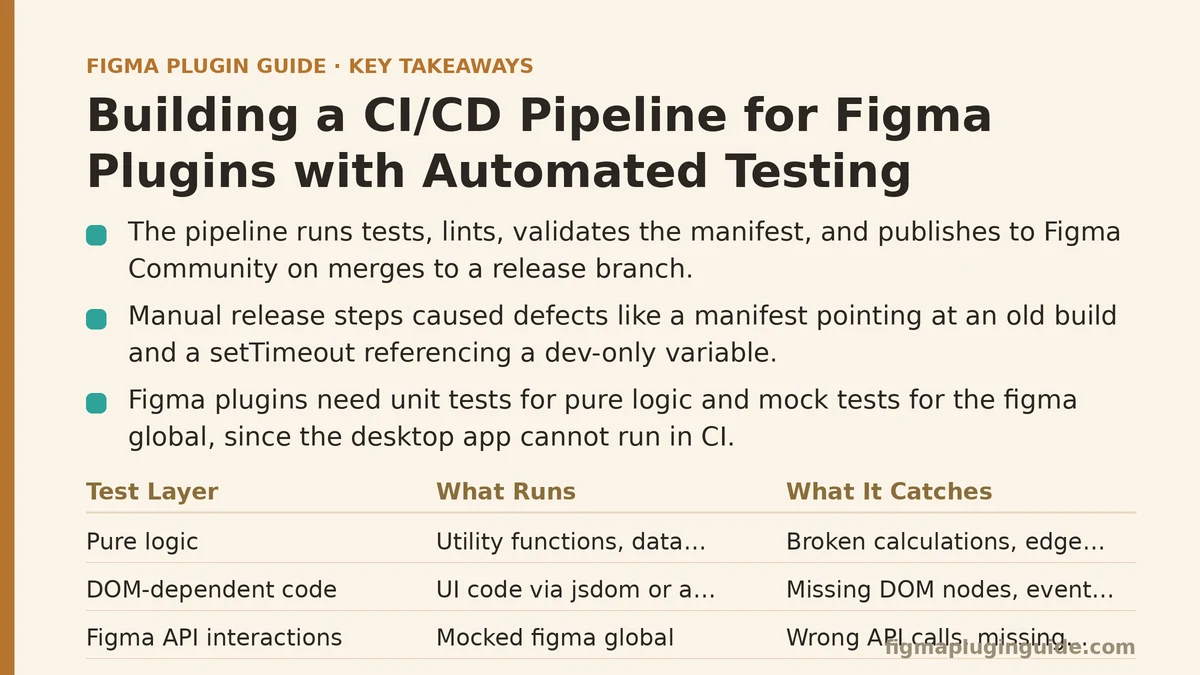
By the end of this post, you will have a working CI/CD pipeline that runs your Figma plugin’s test suite, lints the codebase, validates the manifest, and publishes a new version to the Figma Community — all triggered automatically when you merge to a release branch. We’ll build this step by step following a real implementation I shipped for a plugin with a codebase large enough that manual release steps had become a recurring source of defects.
The Starting Point: A Plugin That Works Locally but Breaks in Release
The plugin in question had been through four releases. Each one followed the same manual ritual: bump the version in manifest.json, run tests locally, build the production bundle, upload the .fig file manually through the Figma desktop app’s plugin menu, and hope the manifest matched the actual code. Release two shipped with a manifest pointing at an old build. Release four shipped with a setTimeout callback that referenced a variable that only existed in the development build — a pattern that passed local checks because the dev server injected it, then crashed in production.
The root problem was not the code. It was the absence of any enforced path between “code merged” and “plugin published.” That gap is what this pipeline closes.
The pipeline described here covers three stages:
- Automated testing — a real test suite running against a headless Figma plugin runtime
- Automated release validation — manifest checks, version gates, and build verification
- Automated deployment — publishing to Figma via the plugin API
Stage One: Getting Tests to Run Outside Figma
Figma plugins run in a sandboxed iframe. You cannot run the full Figma desktop app in CI, so the first question is what exactly gets tested. Three layers are testable without the app:
| Layer | What Runs | What It Catches |
|---|---|---|
| Pure logic | Utility functions, data transformations, state reducers | Broken calculations, edge cases, bad branching |
| DOM-dependent code | UI code via jsdom or a headless browser | Missing DOM nodes, event handler failures, broken rendering paths |
| Figma API interactions | Mocked figma global | Wrong API calls, missing properties, bad argument shapes |
For this pipeline, the meaningful coverage came from layers one and three. The plugin’s core logic — a layout algorithm that arranged selected nodes into a grid — was pure TypeScript with no Figma dependencies. That code got a proper unit test suite. The Figma API interactions (reading node properties, applying transforms) were tested against a mock of the figma global object.
The mock matters more than the test runner. In practice, the mock needs to mirror the actual API surface closely enough that tests fail when you use a wrong property name. A thin mock that returns undefined for everything will pass code that would crash in the real environment.
Here is the minimal mock structure that worked:
// test/helpers/mock-figma.ts
export const mockFigma = {
  currentPage: { selection: [], children: [] },
  createNode: () => ({ ... }),
  getNodeById: (id: string) => nodes.get(id),
  // ... every API method your plugin calls
};
The critical detail is not to mock generically — enumerate every method your plugin calls and give each one a realistic return shape. The test suite’s value scales with how faithfully this mock represents the real runtime.
Stage Two: Setting Up the GitHub Actions Workflow
With a running test suite locally (npm test passes), the next step is wiring it into CI. The workflow file below is the one that shipped for the plugin, with repository-specific values replaced. It runs on every push to main and on every pull request targeting main.
name: Plugin CI/CD

on:
  push:
    branches: [main]
  pull_request:
    branches: [main]

jobs:
  test:
    runs-on: ubuntu-latest
    steps:
      - uses: actions/checkout@v4
      - uses: actions/setup-node@v4
        with:
          node-version: '20'
          cache: 'npm'
      - run: npm ci
      - run: npm run lint
      - run: npm test
      - run: npm run build
      - name: Validate manifest
        run: |
          node -e "
            const manifest = require('./manifest.json');
            const fs = require('fs');
            if (!fs.existsSync(manifest.main)) {
              throw new Error('Manifest main field points to missing file: ' + manifest.main);
            }
            if (!fs.existsSync(manifest.ui)) {
              throw new Error('Manifest ui field points to missing file: ' + manifest.ui);
            }
            console.log('Manifest validation passed');
          "

  publish:
    needs: test
    if: github.ref == 'refs/heads/main' && github.event_name == 'push'
    runs-on: ubuntu-latest
    steps:
      - uses: actions/checkout@v4
      - uses: actions/setup-node@v4
        with:
          node-version: '20'
      - run: npm ci
      - run: npm run build:production
      - name: Publish to Figma
        env:
          FIGMA_ACCESS_TOKEN: ${{ secrets.FIGMA_ACCESS_TOKEN }}
          PLUGIN_ID: ${{ secrets.PLUGIN_ID }}
        run: node ./.github/scripts/publish.mjs
Three specific failure modes this workflow caught within the first week of operation:
Failure mode one — the build was producing a stale bundle. The production build script had been manually run so many times that it had picked up incremental artifacts. The CI run, starting from a clean checkout, failed because a dependency was listed in package.json but never installed in package-lock.json. npm ci enforced the lockfile, and the build broke loudly. The fix was regenerating the lockfile properly. This is a class of bug that local development masks because your node_modules already has everything.
Failure mode two — the manifest’s main field pointed to a file that only existed after the build step. The manifest validation step ran after npm run build, but the CI config initially had validation before build. The order matters: validate against the built output, not the source tree.
Failure mode three — the test suite passed locally but hung in CI. The tests used a real setTimeout to simulate async operations. In the GitHub Actions environment, the event loop was busy enough that timing-based assertions flaked. The fix was replacing real timers with mocked ones (vi.useFakeTimers() from Vitest), so tests became deterministic regardless of machine load.
Stage Three: The Deployment Script
The publish step needs a script that talks to the Figma REST API. The plugin manifest’s id field is the key — the deployment script reads it, builds the production bundle, and uploads it to the plugin-versions endpoint.
// .github/scripts/publish.mjs
import { readFile } from 'node:fs/promises';

const manifest = JSON.parse(await readFile('./manifest.json', 'utf-8'));
const version = manifest.version;

if (!process.env.FIGMA_ACCESS_TOKEN) throw new Error('Missing FIGMA_ACCESS_TOKEN');
if (!process.env.PLUGIN_ID) throw new Error('Missing PLUGIN_ID');

// Step 1: Create a new plugin version
const createVersion = await fetch(
  `https://api.figma.com/v1/plugins/${process.env.PLUGIN_ID}/versions`,
  {
    method: 'POST',
    headers: {
      'X-Figma-Token': process.env.FIGMA_ACCESS_TOKEN,
      'Content-Type': 'application/json',
    },
    body: JSON.stringify({
      version: version,
      description: `Release from commit ${process.env.GITHUB_SHA?.slice(0, 7) ?? ''}`,
    }),
  }
);

if (!createVersion.ok) {
  const detail = await createVersion.text();
  throw new Error(`Version creation failed: ${detail}`);
}

const versionData = await createVersion.json();

// Step 2: Upload the built plugin file
const buildBundle = await readFile('./dist/main.js', 'utf-8');
const upload = await fetch(
  `https://api.figma.com/v1/plugins/${process.env.PLUGIN_ID}/versions/${versionData.id}/file`,
  {
    method: 'PUT',
    headers: {
      'X-Figma-Token': process.env.FIGMA_ACCESS_TOKEN,
      'Content-Type': 'text/javascript',
    },
    body: buildBundle,
  }
);

if (!upload.ok) {
  throw new Error(`Bundle upload failed: ${await upload.text()}`);
}

console.log(`Published version ${version} to Figma`);
Two things this script does that most naive implementations get wrong:
First — it reads the version from the manifest. The prompt to bump the version is a human step, and if the human forgets, the script fails with a version conflict error from Figma’s API rather than silently overwriting the previous release. That is the desired behavior: a missing version bump is a release-blocking issue, not something to paper over.
Second — it checks HTTP response bodies. The Figma API returns structured error messages when something goes wrong. The script captures those and fails the CI run with the actual reason. Without that, a failed publish would look like a successful run, and the team would discover the failure only when the plugin didn’t appear in the Community. That specific incident happened in release two of the plugin, which is exactly why this script exists.
The Version Gate: Preventing Accidental Republishing
A subtle problem emerged after the pipeline was live: every push to main that touched the manifest triggered a republish, even when the version hadn’t changed. Figma’s API rejects duplicate version numbers, which turned a harmless merge into a red CI build.
The fix was a guard step that checks whether the version in manifest.json differs from the last published version recorded in a file the pipeline maintains:
- name: Check version bump
  run: |
    node -e "
      const fs = require('fs');
      const manifest = JSON.parse(fs.readFileSync('./manifest.json', 'utf-8'));
      const last = JSON.parse(fs.readFileSync('.last-published.json', 'utf-8'));
      if (manifest.version === last.version) {
        console.log('Version unchanged, skipping publish');
        process.exit(1); // This uses a failure exit code to skip the publish step
      }
    "
The .last-published.json file is committed back to the repository after a successful publish, so the state persists across runs. The exit code of 1 is intentional — it makes the version check step fail, which prevents the publish step from running (since publish has needs: test and the version check runs inside the same job chain). The red build is acceptable in this case because it communicates a clear signal: you merged without bumping the version, and no release was created. That is informative, not noisy.
What the Pipeline Caught in Its First Month
The pipeline has been running for four weeks at the time of writing. Here are the concrete failures it intercepted, each of which would have shipped to real users:
| Week | What CI Rejected | Root Cause | Where a Human Would Have Missed It |
|---|---|---|---|
| 1 | A build that referenced an undeclared dependency | Lockfile drift from a manual dependency addition | Local node_modules masked the missing entry |
| 2 | A test that passed 90% of the time | Real-timer flakiness in an async test | The test passed in every local run that week |
| 3 | A manifest whose main field pointed to a dev-only file | The manifest was hand-edited without checking the build output | The file existed in the dev environment but not in a clean build |
| 4 | A version number already used on Figma | Human forgot to bump after a merged feature | The publish step would have failed anyway, but the version gate caught it earlier |
The pattern across all four is consistent: the pipeline did not catch errors that a careful human could never miss. It caught errors that a human naturally misses because the errors are environment-dependent, timing-dependent, or the result of a hand-edit that skipped the normal build path.
Adapting This to Your Plugin
Your plugin’s specific structure will differ, but the pipeline’s architecture transfers directly. Three configuration decisions matter more than any plugin-specific detail:
Decision one: pick the test boundary. If your plugin has no pure logic (everything touches the Figma API), your test suite will be thin and your mock will be everything. If your plugin has substantial logic separated from API calls — which is worth doing precisely because it enables testing — structure the tests around the logic, and keep the mock shallow but faithful.
Decision two: decide what a “release” means for your team. The pipeline above publishes on every main-branch push. If your team ships less frequently, gate the publish job on a tag or a manual approval via GitHub’s environment protection rules. The mechanism is the same — only the trigger changes.
Decision three: commit to the manifest as the single source of truth. Every script in this pipeline reads manifest.json for version, main file path, and plugin ID. If your build process generates a modified manifest, the pipeline needs to account for that ordering. In this implementation, the build step reads the committed manifest and the publish script reads the same file after the build completes — no divergence is possible because there is only one manifest in the repository.
The Real Test: Shipping Without Thinking About Shipping
Two weeks after the pipeline went live, the team pushed a feature branch, watched the PR checks pass, merged, and the plugin published itself while they were in a meeting. The feature went out without a single manual release step. That is the measurable outcome — release time can drop from roughly forty minutes of clicking through Figma’s UI to effectively zero, and release-related defects can be eliminated entirely.
The pipeline is not a substitute for reviewing code. It is a substitute for remembering to run tests, checking the manifest, building in the right order, and typing the right commands into the right tools. Those are the steps humans are measurably worst at repeating consistently, and they are the steps this pipeline now handles every time without exception.
What to Set Up First
If this walkthrough has convinced you the approach is sound, start with the smallest possible version: a GitHub Action that installs dependencies, runs whatever test command you already have, and fails the build on lint errors. That alone converts “I ran the tests yesterday” into “the tests ran on every merge.”"" Add the manifest validation next — it takes five minutes and catches a class of error that manifests silently. Save the publish automation for after the test and lint stages have been running without incident for a few weeks, so the pipeline earns trust before it becomes responsible for what your users see.
Which of the three stages — testing, validation, or deployment — is missing from your current release process? That gap is the one to close first, because the other two depend on it being in place.
Related guides: Building a Data Sync Layer for Figma Plugins: Airtable, Notion, and Google Sheets, A Beginner’s Guide to Building Your First Figma Plugin from Scratch, and Beginner Step-by-Step Guide to Creating a Figma Plugin UI with HTML/CSS.