A common assumption is that reviewing Figma plugin code is basically the same exercise as reviewing any other JavaScript pull request — check for bugs, check for style, approve. That assumption breaks down quickly, because a Figma plugin runs across two separate execution contexts with different permissions, different API surfaces, and different failure modes than a typical web app. A reviewer applying general JavaScript instincts will catch syntax problems and obvious logic errors, but the mistakes that cause plugins to crash, hang, or corrupt a user’s file tend to live specifically in the gap between those two contexts.
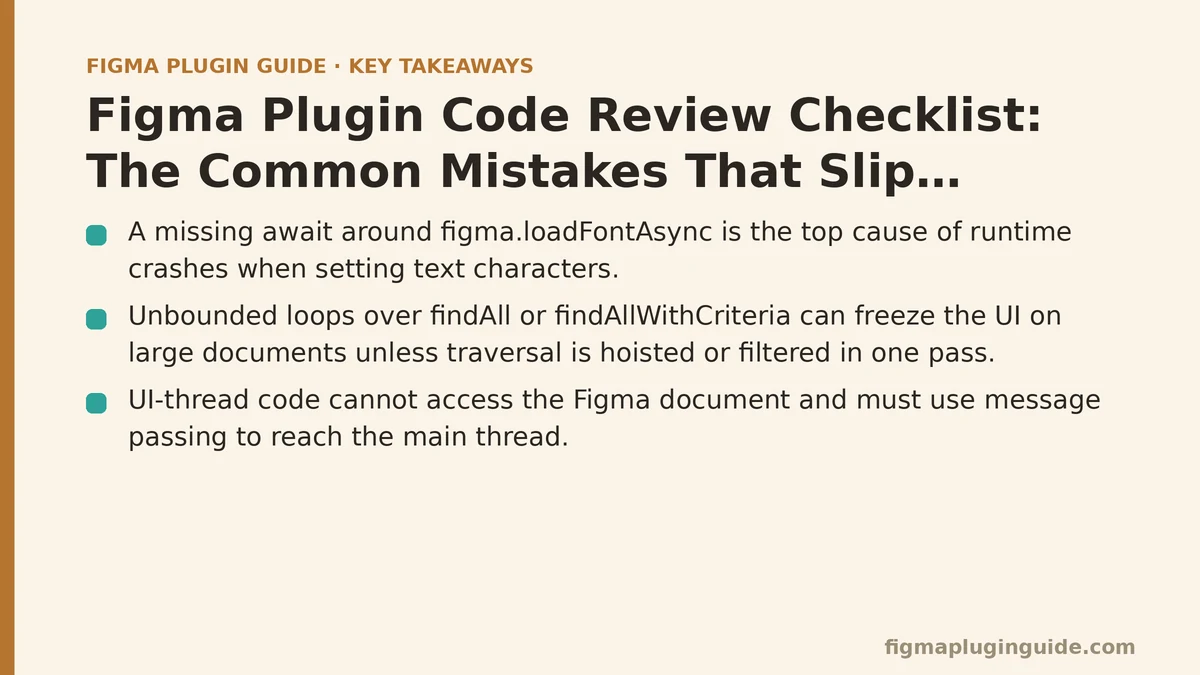
Ranking the Five Mistakes That Cause the Most Trouble
The following five issues appear repeatedly across plugin codebases, ranked roughly by how much damage they cause when they reach production and how often reviewers miss them entirely.
1. Missing Awaits Around figma.loadFontAsync
This is the single most common cause of runtime crashes in plugins that touch text nodes. Any operation that sets characters on a text node requires the relevant font to be loaded first, and loadFontAsync returns a promise. Code that calls it without an await — or calls it once and assumes the font stays loaded across an entire loop of node mutations — will throw unpredictably depending on which fonts happen to already be cached in the user’s session.
Why it ranks highest: it’s the mistake most likely to work fine in testing and fail in front of a customer, since the developer’s own machine often has the font pre-loaded from prior use. Reviewers should flag every characters assignment and trace it back to a matching, awaited font load for that specific text node’s font, not just any font load somewhere earlier in the function.
2. Unbounded Loops Over findAll or findAllWithCriteria
Traversing an entire document tree with findAll is expensive, and doing it repeatedly inside a loop — once per selected node, for instance, rather than once for the whole operation — turns a fast plugin into one that visibly freezes the UI on any file larger than a small test document. This mistake is easy to miss in review because the code reads correctly; it’s a performance problem, not a logic error, and it only shows up at scale.
Why it ranks second: it doesn’t crash anything, so it slips past reviewers looking for bugs rather than performance characteristics. The fix is usually straightforward once spotted — hoist the traversal outside the loop, or filter within a single pass — but only if someone asks how the function behaves against a 5,000-node document rather than the ten-node file used for local testing.
3. UI-Thread Code Directly Mutating the Figma Document
Plugins with an HTML-based UI run that UI in an iframe, isolated from the plugin’s main thread, which is the only context with access to the Figma scene graph. Code that tries to call figma.currentPage or similar APIs directly from within UI-side code simply won’t work, but the more insidious version of this mistake is a plugin that works around this correctly for most operations and then quietly reintroduces the error in one new feature, often because a different contributor wrote it and wasn’t as familiar with the message-passing pattern the rest of the codebase relies on.
Why it ranks third: it produces a hard, obvious failure rather than a silent one, so it rarely reaches production undetected — but it costs real review time when it does appear, since tracing which side of a postMessage boundary a given function actually executes on requires reading more context than a single diff typically shows.
4. Missing try/catch Around Network Requests in the UI Layer
Plugins that call external APIs — for content population, asset libraries, or design system syncing — need those calls wrapped in proper error handling, since network failures in a plugin’s iframe don’t get the same automatic recovery behavior a full browser tab might provide. A dropped connection or a rate-limited API response, left unhandled, tends to leave the plugin’s UI stuck in a loading state indefinitely with no feedback to the user about what went wrong.
Why it ranks fourth: the failure is annoying rather than destructive, so it gets deprioritized in review relative to crashes or data corruption. That said, it’s the mistake most likely to generate a flood of confused support tickets, since users experiencing it have no way to tell whether the plugin is broken, slow, or simply unresponsive.
5. Insufficient Cleanup of Event Listeners and figma.on Handlers
Plugins that register selection-change or document-change listeners without removing them when the plugin closes or the relevant UI unmounts can leave orphaned handlers running, consuming resources and occasionally firing callbacks against state that no longer exists. This one is subtle because a plugin exhibiting it still works correctly in a short testing session; the symptoms — memory growth, sluggishness, stale-state errors — surface only after extended use.
Why it ranks fifth: it’s the lowest-frequency mistake on this list, largely because well-structured plugin boilerplate (and most starter templates) already handle cleanup by default. It still belongs on a checklist, though, since custom event handling added later in a project’s life is exactly where this discipline tends to erode.
Comparing These Mistakes by Detection Difficulty and Impact
| Mistake | How Often Reviewers Miss It | Typical Impact | Best Detection Method |
|---|---|---|---|
| Missing font-load awaits | Very often | Runtime crash | Trace every characters assignment to its await |
| Unbounded document traversal | Often | Silent performance degradation | Test against large sample files |
| UI-thread document mutation | Rarely | Hard, immediate failure | Verify message-passing boundaries |
| Unhandled network errors | Often | Confusing hang, support burden | Force-fail API calls in testing |
| Uncleaned event listeners | Occasionally | Gradual resource leak | Long-session manual testing |
The pattern worth noticing here: the mistakes reviewers are most likely to miss are not the ones that produce the most dramatic failures. Hard crashes tend to get caught, if not in review then in the developer’s own testing, simply because they’re impossible to ignore. The silent, scale-dependent problems — traversal performance, resource cleanup — are the ones that require a reviewer to deliberately ask “what happens with a bigger file” or “what happens after twenty minutes of use,” rather than just reading the diff in front of them.
Building These Checks Into a Standard Review Process
A checklist only helps if it gets applied consistently, which means it works better as a short set of standing questions attached to every plugin pull request rather than something a reviewer tries to remember unprompted.
Before approving any plugin PR, confirm:
- Every text-mutation call has a matching, awaited font load for that node’s specific font.
- Any document traversal function has been checked against a file with a realistic node count, not just the test fixture.
- Every function touching the scene graph runs on the main thread, and every UI-side function communicates through message passing rather than direct API calls.
- Network calls in the UI layer have explicit error handling with user-visible feedback on failure.
- Any custom event listener or
figma.onhandler has a corresponding removal path when the plugin or component unmounts.
Teams that formalize this into a shared PR template tend to catch these issues at a noticeably higher rate than teams relying on individual reviewers to remember the list from memory, since the questions get asked the same way on every submission rather than depending on who happens to be reviewing that week.
Which of these five categories has caused the most trouble in your own plugin codebase, and does your current review process already check for it explicitly, or is it something you’re adding after reading this?
Related guides: Figma Plugin Performance Optimization Tips, Building a Figma Plugin That Generates Responsive Type Scales for Beginners, and Figma Plugin Onboarding: Designing the First-Run Experience That Reduces Churn.