A license key is a token that proves a user is entitled to use paid functionality; payment integration is the separate system that issues, tracks, and revokes that token based on a transaction. Most plugin monetization problems trace back to developers treating these two systems as one, when they need to be built, tested, and debugged independently.
This guide is organized around the failures you’re most likely to hit while building or maintaining a paid Figma plugin. Find the symptom that matches your situation, read the cause, apply the fix.
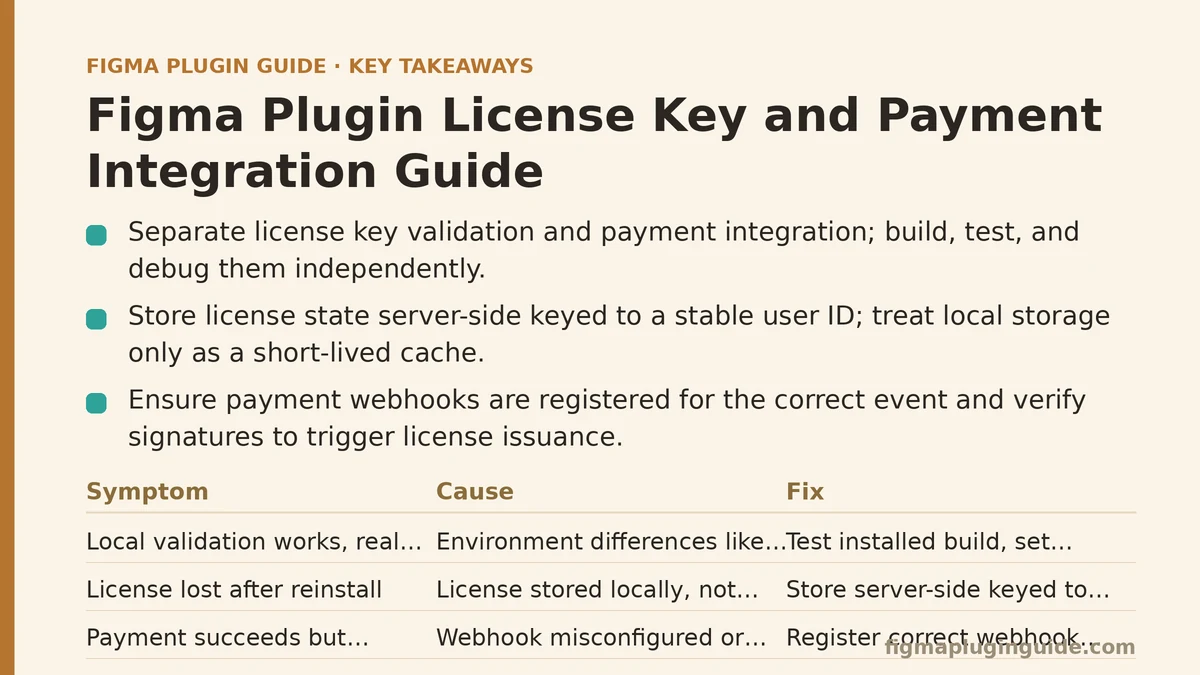
Symptom: License Validation Works Locally but Fails for Real Users
You test the plugin, purchase flow works, license activates, everything checks out on your machine. Then support tickets start arriving from paying customers whose licenses show as invalid.
Cause: This almost always comes down to environment differences that don’t show up in local testing — CORS restrictions on your validation endpoint, network requests timing out inside the Figma sandbox, or a validation server that assumes a browser context your plugin’s iframe doesn’t actually have. Figma plugins run in a restricted execution environment, and fetch calls that work fine in a regular browser tab can behave differently once they’re issued from inside the plugin’s UI thread.
Fix: Test license validation from an actual installed plugin build, not a local dev server serving from localhost. Confirm your validation endpoint sends correct CORS headers for the https://www.figma.com origin, and add explicit timeout handling with a clear fallback message rather than a silent failure. If validation requests route through Figma’s network access manifest permissions, double-check that your production domain is listed — a missing entry here fails silently in ways that are easy to miss during review.
Symptom: Users Report Losing Their License After Reinstalling the Plugin
A customer paid, used the plugin for weeks, then reinstalled Figma or switched machines — and the plugin now treats them as unlicensed.
Cause: License state was stored locally (in clientStorage or similar) instead of being tied to a persistent identity on your server. Local storage is tied to the installation, not the person, so anything that clears it — a reinstall, a new machine, a cleared cache — erases the license along with it.
Fix: Store license state server-side, keyed to a stable identifier such as the user’s email or a Figma-provided user ID, and treat local storage purely as a cache with a short revalidation window. On plugin load, check the cache first for a fast start, then revalidate against the server in the background and update the cache silently. This gives you offline resilience without making local storage the source of truth.
Symptom: Payment Goes Through, But the License Never Activates
Stripe (or your payment processor of choice) shows a successful charge. The user never receives an active license, and now you’re manually issuing keys over email to keep them from asking for a refund.
Cause: This is a webhook problem in nearly every case. The payment succeeded, but the event that’s supposed to trigger license issuance — a checkout.session.completed webhook or equivalent — either isn’t configured, isn’t reaching your server, or is failing silently because of a signature verification mismatch.
Fix: Confirm the webhook endpoint is registered for the correct event type in your payment provider’s dashboard, not just the checkout redirect URL. Log every incoming webhook attempt, including failed signature verifications, so you can see rejected events instead of losing them entirely. Add a manual reconciliation script that cross-references successful charges against issued licenses on a schedule — daily is usually sufficient — so gaps get caught before a customer has to report them.
Symptom: A Single License Key Gets Shared Across an Entire Team
You built a simple key-based system — one key, one unlock — and now that key is circulating in a shared document, unlocking the plugin for people who never paid.
Cause: A static key with no usage tracking has no way to distinguish one legitimate install from fifty illegitimate ones. This is a design flaw in the license model itself, not a bug to patch around.
Fix: Move to seat-based or device-bound licensing rather than a single shared secret. Bind each activation to a device fingerprint or account identifier, cap the number of active activations per license, and give users a self-service way to deactivate an old device when they switch machines. This adds friction for legitimate multi-device users, so pair it with a generous default seat count (two or three) rather than a strict single-seat model that generates support tickets from your paying customers.
Symptom: Trial Users Keep Extending Their Free Period Indefinitely
Your plugin offers a 14-day trial. Some users are still on the free tier eight months later, having reinstalled the plugin or cleared storage each time the trial approached expiration.
Cause: Trial state stored only in local clientStorage, with no server-side record of when a given user first started their trial. Clearing local state resets the clock because there’s nothing external tracking the original start date.
Fix: Record trial start dates server-side against a stable identifier the moment a trial begins, not just in local storage. Reinstalling the plugin should trigger a check against that record rather than starting a fresh trial by default. If you don’t want to require account creation for a trial, at minimum bind the trial to something harder to reset than local storage — a hashed device identifier works reasonably well as a middle ground.
Symptom: License Checks Slow Down Plugin Startup Noticeably
Your plugin validates the license on every launch, and users have started commenting that it feels sluggish compared to competitors, even though the plugin’s actual functionality is fast once it loads.
Cause: A synchronous network call blocking the UI thread before anything renders. If validation waits on a round trip to your server before showing any interface, every launch inherits your server’s latency and any network jitter along the way.
Fix: Render the plugin UI immediately using cached license state, then revalidate asynchronously in the background. Only show a blocking screen if the cached state is missing entirely or has expired past your revalidation window — for most tools, a cache valid for 24-48 hours strikes a reasonable balance between responsiveness and staying current on revocations.
Symptom: Refunded Customers Keep Access to Paid Features
A customer requests a refund, gets it, and continues using the paid features indefinitely because nothing in your system connects the refund event to license revocation.
Cause: Refund handling wasn’t built as part of the original integration — most developers wire up the purchase-to-license flow carefully and treat refunds as a rare edge case to handle manually later, which usually means it never gets built at all.
Fix: Subscribe to refund and chargeback webhook events the same way you subscribe to successful payment events, and route them to a revocation function that flips the license status server-side. Since revocation needs to reach the client, make sure your revalidation interval (see the startup-speed fix above) is short enough that a revoked license doesn’t stay active for days after the refund — 24 hours is a reasonable upper bound for most pricing tiers.
Symptom: You Can’t Tell Whether a Failed License Check Is a Bug or Fraud
A user reports their license isn’t working. You have no way to quickly tell whether this is a legitimate validation bug, an expired trial being misreported, or someone using a leaked key.
Cause: Insufficient logging on the validation server. Without a record of what each license check request contained and what it returned, every support ticket turns into a fresh investigation instead of a quick log lookup.
Fix: Log every validation request with the license key (or a hashed version, if you’re cautious about storing raw keys), the outcome, a timestamp, and the reason for any rejection. This turns “the license isn’t working” into a two-minute lookup instead of a guessing exercise, and it gives you the data needed to spot patterns — like the same key being validated from a dozen different device fingerprints in a single day.
Quick Reference Table
| Symptom | Likely Cause | Fix |
|---|---|---|
| Works locally, fails for real users | CORS or sandbox network restrictions | Test from an installed build; verify manifest network permissions |
| License lost on reinstall | State stored only in local storage | Store license server-side, cache locally |
| Payment succeeds, license never activates | Webhook misconfiguration | Verify webhook events; add reconciliation checks |
| One key shared across a team | Static key with no usage tracking | Seat-based or device-bound licensing |
| Trial resets indefinitely | No server-side trial start record | Track trial start against a stable identifier |
| Slow plugin startup | Synchronous validation blocking UI | Cache-first load, background revalidation |
| Refunded users keep access | No refund-to-revocation pipeline | Subscribe to refund webhooks, revoke server-side |
| Can’t diagnose license failures | Insufficient server-side logging | Log every validation attempt with outcome and reason |
Building This Correctly from the Start
Most of these failures share a root cause: treating license state as something the client can be trusted to report accurately, rather than something the server owns and the client merely caches. Once that principle is in place — server as source of truth, client as fast, revalidated cache — the majority of the symptoms above stop occurring in the first place, rather than needing to be patched after a support ticket surfaces them.
If you’re setting up payment and licensing for a new plugin, build the webhook-to-revocation pipeline and the logging layer before you write a single line of trial logic. Those two pieces are what turn a licensing bug from a mystery into a five-minute fix once real users start hitting edges you didn’t anticipate during development.
Related guides: How to Monetize Your Figma Plugin: A Step-by-Step Guide, A Beginner’s Guide to Building Your First Figma Plugin from Scratch, and Figma Plugin UI/Main Thread Communication: A Myth vs. Reality Guide.