Say you are trying to decide whether to publish your Figma plugin’s source code on GitHub or keep it private. You have seen popular plugins go both directions — some with fully public repos, others with nothing but a manifest and a store page. The answer is not about what makes you feel good about sharing. It is about what maximizes the plugin’s longevity, your time, and the user experience you can sustain.
This post breaks the decision into six questions you need to answer honestly. Each one maps to a concrete trade-off that will show up within the first few months of maintenance.
Question One: Who Is Going to Fix Bugs at 11 PM on a Saturday?
The most mundane reason to open-source a plugin is also the most powerful: bug reports arrive whether the code is public or private. With private code, every bug is yours. With public code, you get contributions — but only under specific conditions.
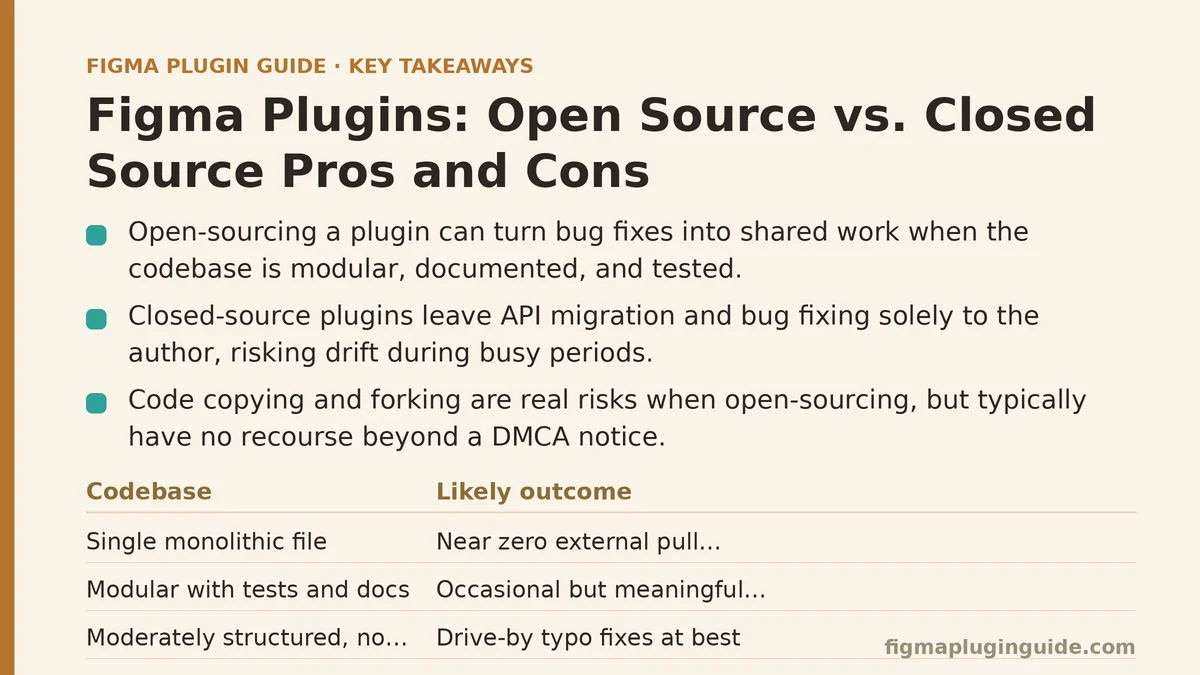
The condition that matters most: the codebase must be small enough and well-enough structured that a stranger can navigate it without a guided tour. A Figma plugin with a single code.ts file of 2,000 lines is not getting community contributions. A plugin with a src/ directory containing manifest.ts, ui/, core/, and a test/ folder with a mocked Figma API is. Contributions follow structure, not generosity.
| Codebase characteristic | Likely outcome for contributions |
|---|---|
| Single monolithic file | Near zero external pull requests |
| Modular with tests and docs | Occasional but meaningful PRs |
| Moderately structured, no tests | Drive-by typo fixes at best |
The benchmark is not whether people can read your code. It is whether their first contribution can be merged in under thirty minutes of their time. If you would not feel comfortable receiving a PR that touches three files without review overhead, the repository’s structure is the blocker.
Question Two: What Happens When the Official Figma API Changes?
Figma’s plugin API has breaking changes. The figma.ui postMessage flow changed between major versions, and several API methods have deprecated in favor of newer ones. Every plugin hits this eventually.
Closed-source path: You are the only person who watches the changelog, reads the migration guides, and ships the fix. If you are busy for three months, the plugin drifts. Users hit errors, and you get a trickle of “is this abandoned?” emails until you fix it.
Open-source path: The same drift can still happen — but if the plugin has active users who happen to be developers, the PRs arrive before the bug reports. The API migration becomes a shared problem instead of a solo one.
The caveat is that this only works if the plugin’s architecture isolates API calls. A well-structured plugin has a thin adapter layer between your logic and the Figma API surface. A poorly structured one spreads figma.* calls everywhere, making a migration PR so invasive that nobody bothers. If you plan to open-source, design the API boundary first.
Question Three: Can You Afford to Have Your Code Copied and Forked?
The honest answer for most plugin authors is yes — and that is precisely the fear that keeps many of them closed. The fear is rarely wrong; it is just often irrelevant.
What copying looks like in practice:
- Forking with branding swapped. Someone changes the manifest name and publishes “their” version. This is a real risk, and you have no recourse beyond a DMCA notice.
- Copying code into a different plugin. Another author takes your clever algorithm and embeds it in their tool. You lose nothing except the exclusivity of the idea.
- Forking because you abandoned the project. This is the best outcome. Your plugin lives on under new maintenance, even if your name stays attached to the original.
The risk tolerance depends on one factor: what makes your plugin defensible? If the uniqueness is the algorithm, open-sourcing weakens that moat. If the uniqueness is the design of the workflow — the way the UI is thought through, the onboarding flow, the interaction patterns — then copying the code does not copy the product. Users will stay with your version because it feels better, not because it is technically superior.
Measure your defensibility before you decide. If stripping out the code leaves nothing unique, keep it closed. If the value lives in the experience layer, sharing the logic costs you little.
Question Four: How Does Open Source Change Your Distribution Channel?
Figma Community discovery is the primary channel for most plugins. Open source changes that equation in two ways.
First, GitHub serves as a secondary discovery surface. Developers searching for Figma plugin examples on GitHub will find your repo, evaluate its quality, and install it. This audience is small compared to Community search, but it is high-conversion because these users already know how to evaluate a plugin’s maintainability.
Second, the repository becomes documentation. A closed-source plugin’s documentation is whatever you wrote in the Community listing. An open-source plugin’s documentation is the README, the issue tracker, the commit history, and the code itself. For developer-facing plugins — automation tools, design-system generators, code-export utilities — the code is the single most convincing documentation you can produce.
| Distribution factor | Closed source | Open source |
|---|---|---|
| Primary discovery | Figma Community only | Community + GitHub search + dev forums |
| Trust signal for developers | Store rating | Code quality, stars, commit activity |
| Documentation depth | Community description | README + code + issues |
For non-developer plugins — content libraries, icon sets, UI kits — the GitHub presence matters far less. The audience will never read your code.
Question Five: Do You Have a Business Model That Survives Open Source?
The binary choice is not “open source or paid.” The real choice is about what you sell, and the two common models look very different.
Model one: Open-source code, paid service. The plugin itself is free, but advanced features, private deployment, priority support, or custom development are paid. This works best for plugins targeting design systems teams inside companies that would rather pay for reliability than build in-house.
Model two: Open-source core, paid premium tier. The base plugin is public. A separate private repo holds the paid tier — advanced automation, team features, or enterprise integrations. The open core builds community trust; the premium tier funds development.
The mistake is attempting to charge for something that is trivially forkable. If the entire value of the plugin is the code itself, open-sourcing it means the paid version needs to offer something outside the code — hosting, support, or integration — or it will not sell.
Question Six: What Does the License Say?
This is the part most plugin authors skip, and it is the part that will bite them. Choosing a license is not about picking a flavor; it is about specifying what others are legally permitted to do.
| License | What it permits | What it prohibits |
|---|---|---|
| MIT / Apache-2.0 | Commercial use, modification, redistribution | Nothing beyond attribution |
| GPL-3.0 | Modification, redistribution | Closed-source derivative works (copyleft) |
| AGPL-3.0 | Modification, redistribution | Using the code in a network service without releasing the service code |
| Unlicense / Public Domain | Everything | Nothing |
For a Figma plugin, the license choice interacts with your business model. A free plugin with an MIT license invites competitors to rebuild it with better marketing. A copyleft license protects the code from being absorbed into proprietary products but also deters companies from building on it internally.
The safest recommendation for a solo developer is MIT — it is permissive, well-understood, and removes legal ambiguity for contributors. The recommendation if you have a paid service tier is Apache-2.0, which adds an explicit patent grant that some enterprise users require.
The Practical Decision Matrix
If you process the six questions above, the answer tends to come down to four scenarios:
| Scenario | Recommended approach |
|---|---|
| The plugin’s value is the algorithm, and you plan to monetize it | Closed source, with well-written documentation |
| The plugin’s value is the UX, and you want community leverage | Open source under MIT, with a clear contribution guide |
| The plugin serves developers more than designers | Open source even if small — code quality is the marketing |
| The plugin has zero maintenance plan after the first release | Open source under a permissive license, so others can take over |
There is a fifth scenario that does not fit neatly: plugins that are the gateway to a larger product. If your plugin is a trial funnel for a SaaS tool, keep the plugin closed — the plugin is the front door, not the product itself.
What to Do When You Choose Open Source
The work does not stop at pushing the repo public. Three steps determine whether the decision pays off.
Step one: Write a contribution guide before you announce anything. A file named CONTRIBUTING.md that explains the test command, the lint rules, and the PR review process. Without it, your first contributor will ask questions you answered three times already.
Step two: Set up automated checks before you accept a single PR. Run the plugin’s test suite, lint, and a build in CI. A clean baseline lets you accept contributions without manually verifying every change.
Step three: Define a release cadence for the Community version. The Figma Community only lets you publish the latest build — you cannot have a dev version and a stable version side by side. If you merge PRs daily, you need a process for deciding when the Community listing updates. A weekly release on a fixed day is easier than an every-merge cadence that churns the listing.
What to Do When You Choose Closed Source
Closed source is not a maintenance-free path either. The discipline shifts to two things:
First, write an API contract for yourself. Document the Figma API methods the plugin calls, the version of the manifest format, and the required permissions. When Figma updates, the contract is your migration checklist.
Second, create a public issue tracker even if the code stays private. Users need a way to report bugs and request features that does not involve emailing you. A public GitHub issue tracker (without the code) gives you structured feedback and gives users a sense of whether the project is alive.
The temptation with closed source is to treat the plugin as a finished artifact. In practice, every plugin — open or closed — is a living thing that needs versioning, testing, and a documented upgrade path.
The Question That Decides It
Before you look at licenses or set up CI, ask yourself which resource you can afford to give up: code exclusivity or maintenance time. Open source gives up exclusivity; closed source gives up the chance that someone else will help. There is no neutral option.
If the idea is strong enough that copying it would hurt you, the pain is a signal — the idea has commercial value, and you should keep it closed until you have captured that value. If the idea is one of many incremental improvements, open source builds reputation and community faster than a solo closed-source project ever will.
Which of the six questions above raised the most uncomfortable answer for your current project — the copying risk, the maintenance budget, or the distribution channel? That discomfort is the factor your decision should center on, regardless of what the generic advice says.
Related guides: Building a CI/CD Pipeline for Figma Plugins with Automated Testing, Building a Data Sync Layer for Figma Plugins: Airtable, Notion, and Google Sheets, and A Beginner’s Guide to Building Your First Figma Plugin from Scratch.