A UI framework for a Figma plugin is the layer that manages the iframe-based interface visible when a user runs your plugin. It handles rendering, state, and event handling inside that iframe, and it communicates with the plugin’s sandboxed main thread via the postMessage API. The framework you pick determines your bundle size, your state management architecture, and how much boilerplate wraps every message between the UI and the plugin logic.
This post compares React and Svelte for that specific job. Both are viable, but they produce measurably different outcomes for a Figma plugin’s build size, development velocity, and the complexity of keeping UI state synchronized with the Figma document model.
Step 1: Define the Constraints That Matter for Plugin UI
Before comparing frameworks, the constraints of the Figma plugin runtime need to be explicit. The UI iframe runs in a Chromium instance embedded in the Figma desktop app. The plugin’s main logic runs in a separate sandbox. Communication between them is asynchronous and serialized — you send JSON-serializable messages via figma.ui.postMessage from the sandbox and parent.postMessage from the iframe.
Three constraints drive the framework decision:
Bundle size. Figma plugin manifests specify a ui field pointing to an HTML file. That file can reference external scripts, but loading remote resources adds latency and introduces a dependency on network availability. Bundling your UI framework into a single local file is standard practice. Smaller bundles load faster, which matters because the UI panel opens on demand — every user interaction with your plugin’s UI begins with that load.
State synchronization. The UI iframe does not have access to the Figma document. Every piece of data from the document that the UI needs — selected node properties, layer counts, font lists — must be fetched via postMessage and stored in the UI’s local state. That state can go stale the moment the user selects a different layer inside Figma. The framework’s state management model determines how naturally you can handle that synchronization.
Memory footprint. Plugin UI panels often stay open while users work in the document. The framework’s memory behavior under extended use — event listeners, component instances, reactive subscriptions — affects how the panel behaves during a long editing session.
Step 2: Measure the Bundle Size Difference
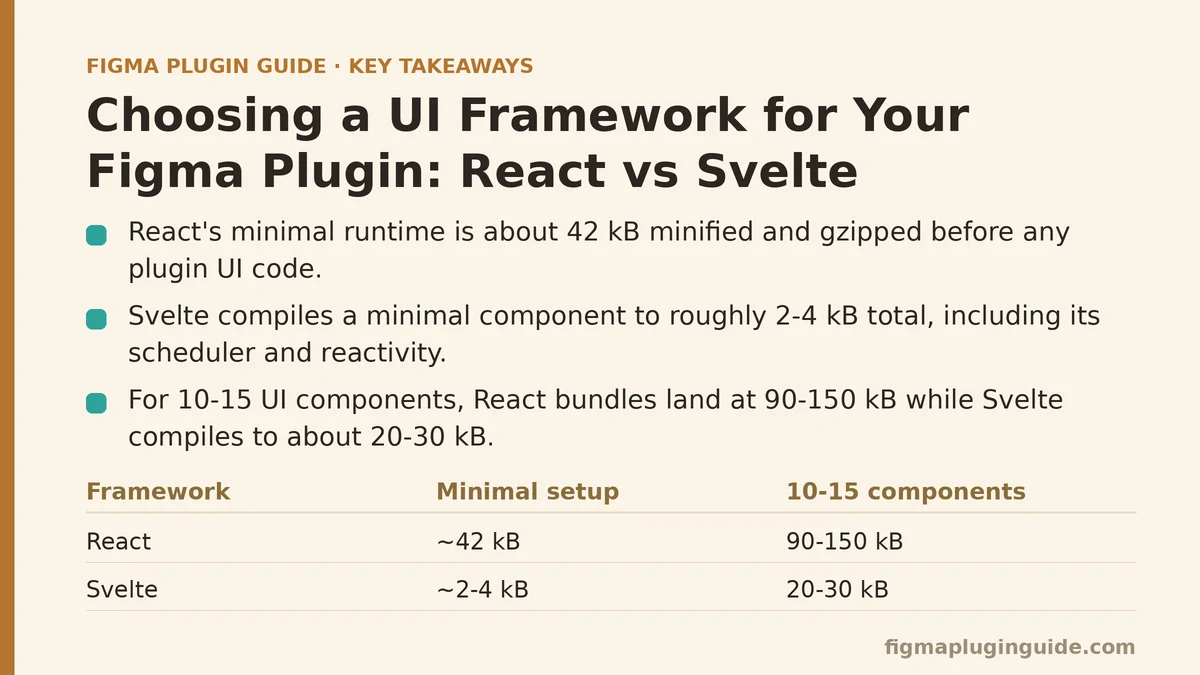
Bundle size is the most concrete, least ambiguous difference between the two. A minimal React setup — React runtime plus ReactDOM — weighs approximately 42 kB minified and gzipped. That is a baseline before a single component of your plugin’s UI is written. Svelte compiles away most of its runtime: a minimal Svelte component compiles to roughly 2–4 kB total, including the framework’s scheduler and reactivity primitives.
The numbers scale with component count. For a plugin with ten to fifteen distinct UI components, a React bundle typically lands between 90–150 kB minified. The equivalent Svelte application compiles to about 20–30 kB. The difference is not a rounding error — it is the difference between a UI panel that opens in tens of milliseconds and one that takes a few hundred milliseconds on slower machines.
The practical benchmark: Build the same simple plugin UI — a panel with a text input, a button, and a list that updates from selection changes — in both frameworks. Measure the dist/ui.js file size after production builds. For a typical small plugin, the React build will be about ten times larger by weight. Whether that matters depends on how frequently the UI opens and how impatient your audience is.
For reference, a minimal webpack build of a React plugin UI:
// webpack.react.config.js
const path = require('path');

module.exports = {
  entry: './src/ui.tsx',
  output: {
    path: path.resolve(__dirname, 'dist'),
    filename: 'ui.js',
  },
  resolve: {
    extensions: ['.ts', '.tsx', '.js'],
  },
  module: {
    rules: [
      {
        test: /\.tsx?$/,
        use: 'ts-loader',
        exclude: /node_modules/,
      },
    ],
  },
  mode: 'production',
  optimization: {
    minimize: true,
  },
};
Step 3: Compare State Management Between the Two
Figma plugin state has a characteristic shape: the UI holds a snapshot of relevant document data, which changes when the user interacts with the canvas. The framework must handle two directions — rendering updates when new data arrives from the sandbox, and dispatching commands back when the user clicks buttons or adjusts inputs.
React’s model requires explicit state management. The common pattern is a reducer or a context provider that holds the UI state, with useEffect hooks listening for messages from the parent via window.addEventListener('message', ...). Every incoming message must be dispatched through a state update, which triggers a re-render of the component tree. This is predictable but verbose — a typical selection-change handler involves an event listener, a type guard, a dispatch call, and a selector to read the updated value.
Svelte’s model is compiler-driven reactivity. The framework converts variable assignments into reactive updates at compile time, so UI state is just a plain variable that re-renders when assigned. Message handling becomes a single function that assigns new values to reactive stores or component variables.
The practical difference shows in message-heavy plugins. Consider a plugin that updates a live counter of selected layers and their total area. React requires:
// React: SelectionCounter.tsx
import { useEffect, useState } from 'react';

interface SelectionData {
  count: number;
  totalArea: number;
}

export function SelectionCounter() {
  const [selection, setSelection] = useState<SelectionData>({ count: 0, totalArea: 0 });

  useEffect(() => {
    const handler = (event: MessageEvent) => {
      if (event.data?.type === 'selection-update') {
        setSelection({
          count: event.data.count,
          totalArea: event.data.totalArea,
        });
      }
    };
    window.addEventListener('message', handler);
    return () => window.removeEventListener('message', handler);
  }, []);

  return (
    <div>
      <span>{selection.count} layers selected</span>
      <span>{selection.totalArea} px²</span>
    </div>
  );
}
Svelte compresses the same logic:
<!-- Svelte: SelectionCounter.svelte -->
<script>
  let count = 0;
  let totalArea = 0;

  function handleMessage(event) {
    if (event.data?.type === 'selection-update') {
      count = event.data.count;
      totalArea = event.data.totalArea;
    }
  }

  // Listen once, assign directly
  import { onMount } from 'svelte';
  onMount(() => {
    window.addEventListener('message', handleMessage);
    return () => window.removeEventListener('message', handleMessage);
  });
</script>

<div>
  <span>{count} layers selected</span>
  <span>{totalArea} px²</span>
</div>
The state update in Svelte is a variable assignment. No selector, no dispatch, no re-render orchestration. For a plugin with a dozen different message types, the Svelte version accumulates fewer lines and fewer chances for a missed state update.
Step 4: Evaluate the TypeScript Integration
Figma plugins are almost always written in TypeScript — the Figma plugin typings (@figma/plugin-typings) provide the figma global and its API surface. The UI side, however, operates in a browser context, and the quality of type safety for the message protocol becomes a real factor.
React with TypeScript is mature. Component props, state, and event handlers all get thorough type inference. The message protocol, though, is where both frameworks share a gap: messages cross the postMessage boundary as plain objects, and neither framework provides runtime validation. You have to write type guards manually regardless of framework choice.
Svelte’s TypeScript support improved steadily — as of Svelte 4 and the Svelte 5 runes mode, component props and reactive state are typed without extra tooling. The compile step is slower with TypeScript enabled, and the Svelte language server has historically lagged React’s IntelliSense in some editor configurations. For large message protocols — a plugin with dozens of distinct message shapes — React’s typed contexts and discriminated union handling feel more direct. For a plugin with a handful of message types, the difference is negligible.
A TypeScript type guard for the message boundary works identically in both:
// shared/messages.ts
export type PluginMessage =
  | { type: 'selection-update'; count: number; totalArea: number }
  | { type: 'font-loaded'; family: string; weight: string }
  | { type: 'error'; message: string };

export function isPluginMessage(data: unknown): data is PluginMessage {
  if (typeof data !== 'object' || data === null) return false;
  const msg = data as Record<string, unknown>;
  return (
    msg.type === 'selection-update' ||
    msg.type === 'font-loaded' ||
    msg.type === 'error'
  );
}
The type guard, isPluginMessage, is the single point of truth for validating the boundary. Both frameworks consume it identically — the difference is how cleanly the rest of the state updates when a validated message arrives.
Step 5: Test Performance Under Load
Performance in a plugin UI panel is not about 60 fps animations — it is about responsiveness when the document state changes frequently. A plugin that listens to selectionchange events can receive dozens of messages per second while a user drags across the canvas. Each message triggers a UI update. A framework that handles each update cheaply keeps the panel responsive; one that re-renders a large component tree on every message will start to lag.
React’s re-render model is the weak point here. Every setState call potentially re-renders the whole component tree, and uncontrolled updates in a message handler can cause unnecessary re-renders of unrelated components. React.memo, useMemo, and useCallback mitigate this, but they add cognitive overhead and are easy to get wrong — a missing dependency array in useCallback creates a stale closure that silently drops updates.
Svelte’s compiled reactivity updates only the DOM nodes whose bound variables changed. The compiler tracks variable dependencies at compile time, so a message that updates totalArea only touches the {totalArea} text node, not the whole panel. For a selection counter or a property panel that updates a few fields per message, Svelte consistently avoids the re-render overhead that React needs explicit optimization to match.
The failure mode to watch for in React: a useEffect without the correct dependency array can subscribe to messages multiple times, creating duplicate listeners that dispatch the same update twice. The symptom is a UI that flickers or shows stale values after rapid selection changes. The same class of bug in Svelte is unlikely — the compiler handles subscriptions at compile time and there is no dependency array to misconfigure.
Step 6: Assess the Ecosystem and Maintenance Burden
React’s ecosystem advantage is real. Component libraries, form libraries, and debugging tools are abundant. For a plugin that needs a complex form (settings panels with many inputs and validations), React has react-hook-form and similar tools ready out of the box. Svelte has its own equivalents — svelte-forms-lib — but the selection is smaller and the community less active.
Svelte 5 introduced runes, which changed the reactivity model from compiler magic to an explicit $state syntax. That was a breaking change for existing Svelte 4 code, and plugin templates written before the change need migration. React’s API surface has been stable since hooks were introduced in 2018; if you maintain a plugin long-term, React APIs are less likely to require a rewrite.
However, the Figma plugin templates matter more than general framework longevity. The official Figma plugin sample repos (figma/plugin-samples) include both a React template and a Svelte template, and the Svelte template is kept current with the latest Svelte version. The official docs on “Create a Plugin with UI” present both approaches without bias. Framework churn is a real cost, but the Figma team maintains both templates, so neither framework is a dead end.
A practical maintenance check: If your team already knows React, the learning curve of Svelte — reactive declarations, stores, and a slightly different mental model — adds a week or two of ramp-up. For a plugin that will be updated once a quarter, that cost may not justify the bundle size savings. For a plugin that loads on every Figma session and users complain about panel opening latency, the Svelte bundle advantage is worth the retraining.
Step 7: Build the Same Plugin in Both
The most direct way to evaluate is a side-by-side build. Both frameworks have official Figma plugin templates that scaffold the full structure — manifest.json with ui pointing to the framework’s entry point, a sandbox script, and a dev server.
For React, with npm create figma-plugin and selecting the React template, the structure is: src/ui.tsx (the React entry), src/main.ts (the sandbox logic), and a webpack config that bundles the UI. For Svelte, npm create vite with the Svelte template produces a similar split, with src/ui.svelte as the entry component.
The verification step is identical for both: run the dev server, load the plugin via the Figma desktop app (Plugins → Development → Import plugin from manifest), and confirm the UI panel responds to document selection changes without stale state.
Here is the full main.ts sandbox script that both frameworks consume — the only difference is the framework-specific UI entry:
// src/main.ts
figma.showUI(__html__, { width: 320, height: 240 });

figma.on('selectionchange', () => {
  const selection = figma.currentPage.selection;
  const count = selection.length;
  const totalArea = selection.reduce((sum, node) => {
    if ('width' in node && 'height' in node) {
      return sum + node.width * node.height;
    }
    return sum;
  }, 0);

  figma.ui.postMessage({ type: 'selection-update', count, totalArea });
});
Regardless of framework, this sandbox script does the work. The UI side subscribes to the message and renders. The framework decision does not change the sandbox code at all — it only changes the UI file that consumes that message.
Which Framework Should You Choose?
The evidence from this comparison points to a decision rule based on plugin complexity and team context, not a general winner.
Choose React when:
- The plugin UI is extensive — multiple tabs, complex forms, conditional rendering across many states
- Your team is already productive in React and you cannot absorb a framework learning cycle mid-project
- You need to pull in third-party React component libraries for specialized widgets (date pickers, complex tables)
Choose Svelte when:
- The plugin UI is relatively small — a few panels, input fields, and a list — and bundle size is a visible factor in loading time
- You want a single-file component structure where the markup, styles, and logic for a panel live in one
.sveltefile - You are starting a new project and value the smaller compiled output without much extra setup
One additional consideration: neither framework is the wrong choice for a plugin that needs to switch later. The message protocol in main.ts is framework-agnostic. If you build a prototype in Svelte and later decide React fits better, the sandbox logic carries over unchanged. The UI file is the only part that gets rewritten.
For most plugin UIs — panels that show node properties, manage settings, or display a simple action list — the Svelte bundle advantage and simpler state updates outweigh React’s ecosystem depth. Once the UI grows past roughly fifteen components or introduces multi-step forms with interdependent validation, React’s structure pays off.
The decision is measurable. Build your next plugin’s UI shell in each framework, compare the compiled bundle size, and count the lines of state-synchronization code. Those two numbers will settle the argument faster than any framework evangelism.
Does your plugin UI represent the majority case here — a handful of panels and messages — or the more complex form-driven scenario where React’s ecosystem matters most? Identify which side your next plugin sits on before starting the build; the framework choice follows directly from that classification.
Related guides: Beginner Step-by-Step Guide to Creating a Figma Plugin UI with HTML/CSS, A Beginner’s Guide to Building Your First Figma Plugin from Scratch, and Debugging Figma Plugin Errors with the Browser Console: A Beginner and Advanced Guide.