By the end of this post, you’ll know exactly which logic belongs in your plugin’s UI thread versus its main thread, why postMessage gets blamed for problems it didn’t cause, what kinds of data you’re allowed to pass between the two environments, and how to get information from the Figma document back into your interface without fighting the architecture. These four misunderstandings account for the majority of sluggish, confusing plugin builds I see — so let’s clear them up one at a time.
The Core Architectural Split: Why Two Threads?
Before picking apart the myths, it helps to understand why Figma split things this way in the first place. Your plugin’s UI — the floating window you actually see — runs inside a sandboxed iframe, a self-contained web environment commonly called the “UI thread.” Everything that touches the Figma document itself — creating layers, reading properties, executing commands — runs on a separate “main thread” instead. This isn’t an arbitrary design decision: it protects the app from a poorly behaved plugin freezing the entire canvas, and it tightly controls how plugin code can reach a user’s data. The two threads talk to each other asynchronously through a postMessage API, and misreading this relationship is where most performance and architecture headaches in plugin development begin.
Myth #1: The UI thread is just for static HTML and CSS.
It’s tempting to treat the UI thread as little more than a display shell — something that renders visuals while every meaningful piece of logic gets shipped off to the main thread for processing.
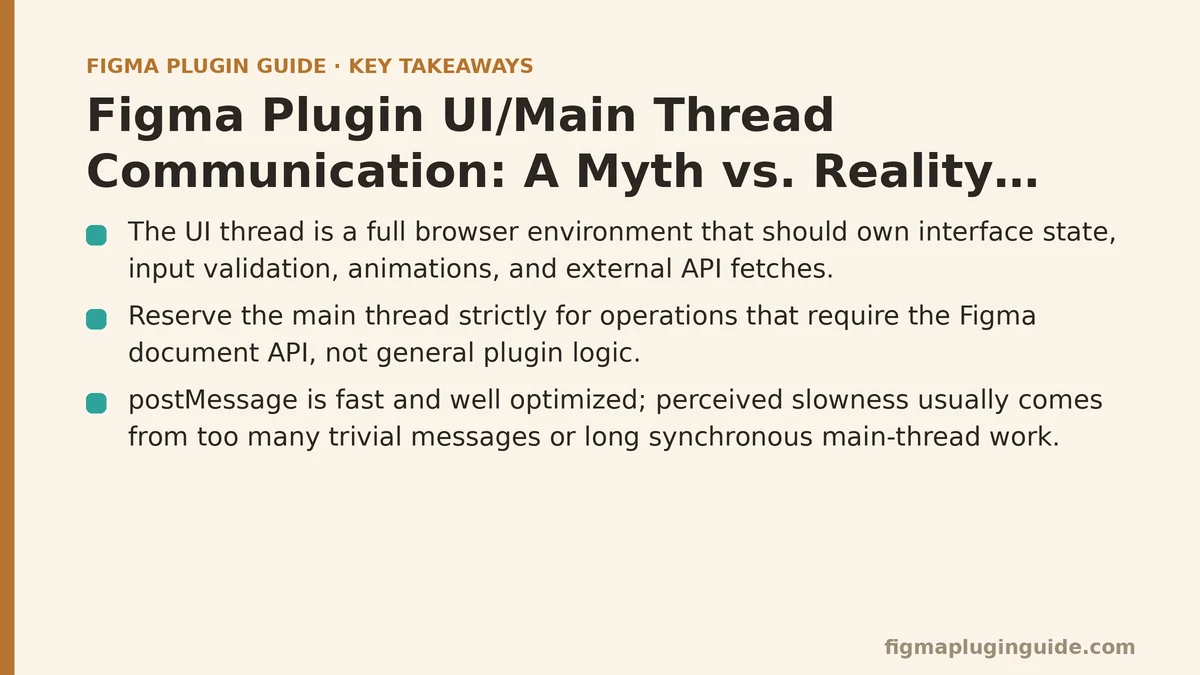
Reality: The UI thread is a full, modern browser environment, not a static template. It should own everything that’s exclusive to the interface itself: component state (which dropdown is open, which tab is active), validating form inputs before they’re ever sent anywhere, running animations, even fetching data from external APIs. Keeping this work out of the main thread matters far more than developers assume. Reserve the main thread strictly for operations that require the figma document API. Handle user input and UI state on the UI thread, and your plugin will feel noticeably snappier.
Myth #2: Communication via postMessage is inherently slow and a bottleneck.
Because postMessage is asynchronous, it’s easy to assume it’s the source of lag — leading developers to over-batch messages or try to cram too much work into a single exchange to “save” round trips.
Reality: postMessage itself is fast and well optimized; it’s rarely the actual culprit. The sluggishness people notice usually traces back to one of two habits: firing off far too many messages for trivial updates, or — much more commonly — running a long, synchronous operation on the main thread in response to a single message. Any heavy, blocking code on the main thread freezes Figma’s own interface right along with it. The fix isn’t to avoid postMessage; it’s to keep the work triggered on the main thread lean, and to break it into smaller chunks when it can’t be avoided.
Myth #3: You can send any kind of data between threads.
Developers coming from other frameworks sometimes expect to pass live objects, function references, or DOM nodes straight from their UI code into their main thread code.
Reality: Anything traveling between the UI and main threads through postMessage has to be serializable — convertible into something like a JSON string on one end and parsed back into an object on the other. Functions, DOM nodes, and objects with circular references simply won’t survive the trip. Rather than trying to hand off complex logic, send plain, descriptive instructions and data instead. Instead of passing a reference to a color picker component, your UI thread sends something like { type: 'update-color', payload: '#FF0000' }. This restriction keeps the communication channel predictable and easy to reason about.
Myth #4: The main thread can directly update the plugin UI.
Once the main thread pulls something useful from the document — say, the name of a selected layer — it feels natural to assume it could just reach over and update a text field in the UI directly.
Reality: Communication only ever flows through explicit messages, and neither thread can peek into the other’s context. The main thread has zero access to the UI’s DOM. To get information back to the interface, it has to send a message using figma.ui.postMessage, and the UI thread needs a listener already in place to catch it. When that message arrives — something like { type: 'layer-name-received', payload: 'Header Text' } — it’s the UI thread’s own code that takes the payload and updates its state and DOM accordingly.
A Quick Reference for UI/Main Thread Myths
| Myth | Reality | Key Principle |
|---|---|---|
| UI thread is just for static visuals | UI thread handles all self-contained UI logic and state | Separation of Concerns |
postMessage is inherently slow | postMessage is fast; slow logic on the main thread is the bottleneck | Efficient Message Handling |
| You can send any kind of data | Only serializable data (like JSON) can be sent between threads | Data Serialization |
| Main thread can directly manipulate the UI | Main thread sends results back; UI thread is responsible for updating itself | Two-Way Communication |
How I Helped My Mentee Fix Their Plugin
A junior developer I was mentoring had built their entire plugin logic inside the UI thread, leaning on a complex state management library just to handle user input. They were stuck on two fronts: the plugin felt sluggish, and — more puzzling to them — none of their code could reach the Figma document at all. Once they understood that the architecture separates these two worlds on purpose, the fix was straightforward.
We refactored together, working through the reasoning behind the two-thread split as we went. All of their component state management and input validation moved entirely into the UI thread’s code. Now the only time a message goes to the main thread is when the user clicks the “Create” button — a single message, { type: 'create-shapes', payload: { count: 5, size: 50 } }, containing everything the main thread needs to do its job.
Once the main thread finished creating the shapes, it sent back a simple confirmation, { type: 'creation-complete' }, which the UI used to trigger a success toast. The perceived performance jumped dramatically, because the interface was no longer stuck waiting on a round trip to the main thread just to enable a button or flag a validation error. It’s a clean example of how respecting this boundary pays off in a faster, more polished user experience.
What’s the biggest challenge you’re facing with your plugin’s architecture right now? Describe the problem, and I can suggest which side of the UI/main thread divide the logic should probably live on.
Related guides: Figma Plugin API Rate Limiting and Quota Management, Figma Plugin Performance Optimization Tips, and Figma Plugin manifest.json Explained.