Figma Variables are typed, reusable values — colors, numbers, strings, and booleans — stored in a Variable Collection and bound to properties across a file so that changing one value updates every layer referencing it. That’s the definition. Everything else in this guide is about the gap between that one-sentence description and what actually happens when you sit down to write a plugin against the API that exposes it.
The Variables API is not difficult in the way that, say, low-level canvas rendering is difficult. It’s difficult in the way that any permission-and-hierarchy system is difficult: the concepts are simple individually, but the interactions between collections, modes, aliases, and scopes produce edge cases that don’t show up until real files with real complexity hit your plugin. Below are the five areas that cause the most friction, ranked from most consequential to least, with enough detail on each to get a working plugin off the ground.
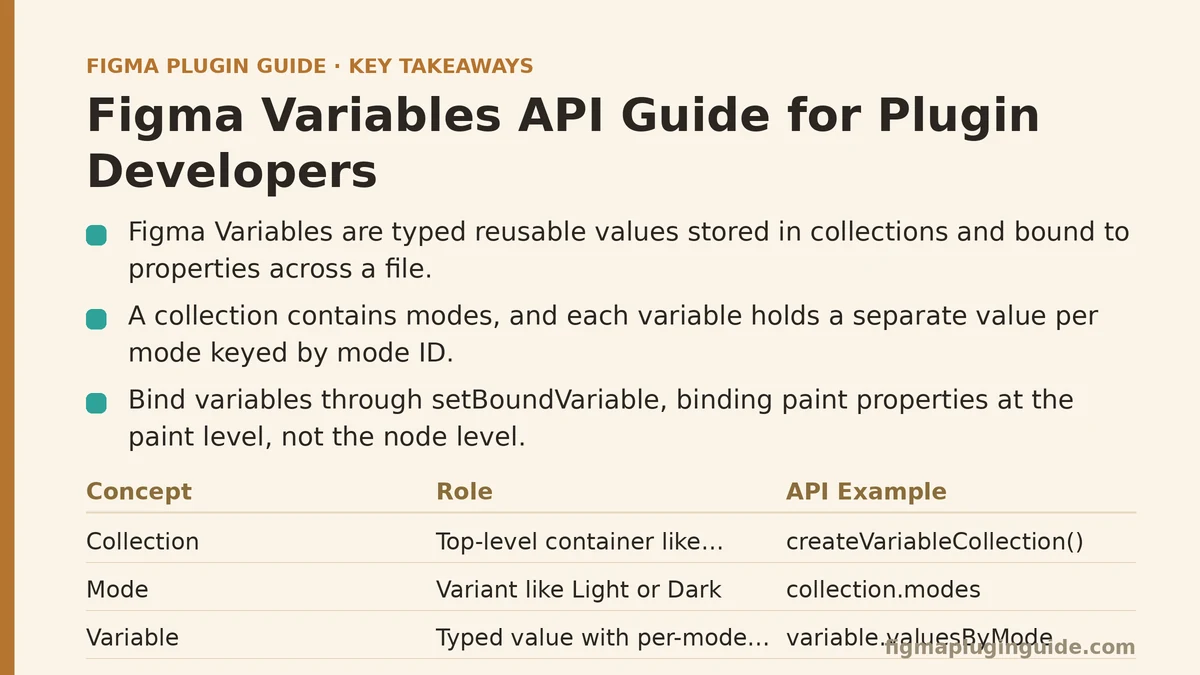
1. Understanding the Collection → Variable → Mode Hierarchy
This ranks first because every other mistake on this list traces back to a shaky mental model of how these three pieces fit together.
A Variable Collection is the top-level container — think of it as a named group, like “Colors” or “Spacing.” Inside a collection, you define one or more Modes (Light/Dark, or Compact/Comfortable, or Brand A/Brand B). Each Variable you create inside that collection then holds a separate value per mode. A single color variable named background/primary isn’t one value — it’s a map of mode IDs to values, and which value renders depends on which mode is currently active for the node consuming it.
The API mirrors this exactly: figma.variables.createVariableCollection() gives you the collection, collection.modes is an array you manipulate to add or rename modes, and variable.valuesByMode is the object where you set per-mode values, keyed by mode ID rather than mode name. New developers frequently try to set a value by mode name and get quietly wrong results, because mode IDs are opaque strings generated at creation time, not the labels you typed into the modes panel.
Why it matters most: get this hierarchy wrong at the start, and you’ll end up writing variables to the wrong mode, creating duplicate collections instead of adding modes to existing ones, or building a UI that can’t explain to users why a value changed unexpectedly. Every subsequent API call assumes you already have this straight.
2. Binding Variables to Node Properties Correctly
Creating a variable is the easy half. Binding it to something on the canvas — a fill, a corner radius, a gap in an auto-layout frame — is where the actual payoff of using Variables over hardcoded values shows up, and also where a second common mistake appears.
Bindings happen through setBoundVariable(), called on the node or on the specific property you’re targeting. For paint properties (fills, strokes) you bind at the paint object level, not the node level directly, since a node can have multiple paints and each needs its own potential binding. For simpler scalar properties like cornerRadius or itemSpacing, the binding sits closer to the node itself.
The mistake worth flagging: not every property accepts every variable type. A color variable can’t bind to cornerRadius, and Figma enforces this through the variable’s scope and resolved type — attempting an incompatible binding throws rather than silently failing, which is preferable, but only if you’re checking variable.resolvedType before attempting the bind rather than discovering the mismatch at runtime in a user’s file.
Practical tip: build a small lookup table in your plugin mapping property names to acceptable resolved types before you write the binding logic. It saves a category of bug that otherwise surfaces as a confusing error report from a user who has no way to describe what went wrong.
3. Resolving Aliases Without Infinite Loops
Variables can reference other variables as their value — this is an alias, and it’s how design systems build layered tokens (a semantic text/error variable pointing to a primitive red/600 variable, for instance). Aliasing is powerful, and it’s also the third item on this list because it introduces a failure mode that flat values never had: circular references.
Nothing in the Variables API prevents you, programmatically, from setting variable A’s value to alias variable B, and B’s value to alias variable A. Figma’s UI guards against this in its own editing flows, but a plugin calling the API directly can construct a cycle if it isn’t careful, and the result is a value that never resolves to anything concrete.
When you need the actual, final value of a variable — not just its immediate value, which might itself be another alias — use figma.variables.getVariableByIdAsync() in a resolution loop, tracking visited variable IDs as you go, and bail out with a clear error if you revisit an ID you’ve already seen. This is a handful of extra lines of code that most tutorials skip, right up until a plugin ships without them and a user manages to construct a cycle that the plugin then hangs on.
Why this ranks where it does: most plugins won’t hit this constantly, but when they do, the failure is silent and confusing rather than a clean crash — exactly the kind of bug that’s expensive to diagnose after the fact.
4. Reading and Setting Variables Across Modes Programmatically
Once bindings exist, plugins frequently need to do bulk operations — importing a token set from a JSON file, syncing values from an external design-token tool, or generating an entire color ramp across every mode in one pass. This is where the async nature of the API becomes something you have to actively manage rather than assume away.
Most read operations — getVariableByIdAsync, getVariableCollectionByIdAsync, getLocalVariablesAsync — return promises, and it’s easy to write code that looks synchronous but silently races itself when a plugin iterates over collections and fires off multiple async reads without awaiting them in sequence or batching them with Promise.all. In a small test file this rarely surfaces as a bug. In a file with dozens of collections and hundreds of variables, timing issues start producing missed writes or, worse, values written to a mode that hadn’t finished loading yet.
The other detail worth noting here: setting a value with variable.setValueForMode(modeId, value) requires the mode ID to belong to the same collection the variable lives in. Passing a mode ID from an unrelated collection doesn’t throw a helpful error every time — depending on the API version, it can fail in ways that are harder to trace back to the actual cause. Always fetch collection.modes fresh before a bulk write operation rather than caching mode IDs from an earlier point in a long-running plugin session.
Best for: plugins doing token import/export, theme generation, or any bulk sync between Figma and an external source of truth.
5. Handling Scopes and Type Restrictions for a Better User Experience
This ranks last not because it’s unimportant, but because it’s more about polish than correctness — a plugin can function without careful scope handling, it just won’t feel as considered.
Scopes restrict where a variable is allowed to be applied — a variable scoped to “Corner Radius” won’t show up as an option when a user tries to bind it to a text property inside Figma’s own UI, even though the underlying type might technically be compatible. Plugins that expose their own variable-picker UI should respect these same scope restrictions, both to match the experience of Figma’s native binding UI and to avoid presenting choices that will fail on binding attempt.
variable.scopes is an array you can read and set. When building a picker in plugin UI, filter the list of available variables against the scope of the property you’re binding to before rendering options, rather than letting a user pick from every variable and finding out about incompatibility only after the fact. It’s a small amount of extra filtering logic that meaningfully changes how a plugin feels to use, particularly in files with large token libraries where an unfiltered list would otherwise be overwhelming.
Quick Reference: The Five Areas Ranked
| Rank | Area | Primary Risk If Ignored |
|---|---|---|
| 1 | Collection → Variable → Mode hierarchy | Writing values to the wrong mode; duplicated collections |
| 2 | Binding to node properties | Type mismatches; runtime errors on incompatible binds |
| 3 | Alias resolution | Circular references causing silent, unresolvable values |
| 4 | Cross-mode programmatic reads/writes | Race conditions and missed writes in bulk operations |
| 5 | Scopes and type restrictions | Confusing UI; users selecting variables that fail to bind |
Where to Start If You’re Building From Scratch
Work through this list roughly in order. Get the hierarchy right first — sketch out your collections and modes before writing a single line of API code, ideally on paper or in a simple diagram. Then wire up bindings for a single property type end to end before expanding to others. Alias handling and cross-mode bulk operations can wait until the core binding flow is solid; scopes can wait until you’re building UI a real user will interact with.
The Variables API rewards this kind of incremental build order more than most Figma APIs do, largely because the failure modes compound — a shaky hierarchy understanding makes every later mistake harder to debug, since you’re never quite sure whether a bug is a modeling problem or an API-usage problem. Get the foundation right, and the rest of the list becomes a set of known, containable edge cases rather than a source of recurring confusion.
Which of these five is closest to where your plugin currently sits — still sorting out the collection structure, or further along and fighting with alias resolution? That’s usually the fastest way to figure out which section above deserves a second, closer read. Related guides: How to Monetize Your Figma Plugin: A Step-by-Step Guide, Step-by-Step Guide to Building a Figma Plugin for Generating Color Palettes, and Building a Figma Plugin That Generates Responsive Type Scales for Beginners.