After reading this, you’ll be able to plan a JavaScript-to-TypeScript migration for an existing Figma plugin without rewriting it from scratch, decide which files to convert first, configure the Figma plugin typings correctly, and know which errors are safe to suppress temporarily versus which ones are flagging a real bug in your plugin logic.
A full-codebase rewrite isn’t required, and treating the migration as an incremental process rather than a single disruptive event is what makes it manageable for a plugin that’s already shipped and in active use.
Why migrate an existing plugin to TypeScript at all?
The honest answer is that a working JavaScript plugin doesn’t stop working just because it’s untyped. Migration pays off in a different place: catching errors before they reach users, rather than after.
Figma’s plugin API surface is large — nodes, mixed properties, async operations that only resolve under certain conditions — and JavaScript gives you no guardrails against calling a method on the wrong node type or misspelling a property name that silently returns undefined instead of throwing. TypeScript’s type definitions for the Figma API catch exactly these mistakes at compile time, before you’ve spent twenty minutes in the console figuring out why node.characters came back empty.
There’s a secondary benefit worth naming too: editor autocomplete gets dramatically better. Once your plugin code is typed, your editor can tell you which properties exist on a FrameNode versus a TextNode as you type, instead of you cross-referencing the Figma API documentation in a separate browser tab.
Do I need to rewrite the whole plugin at once?
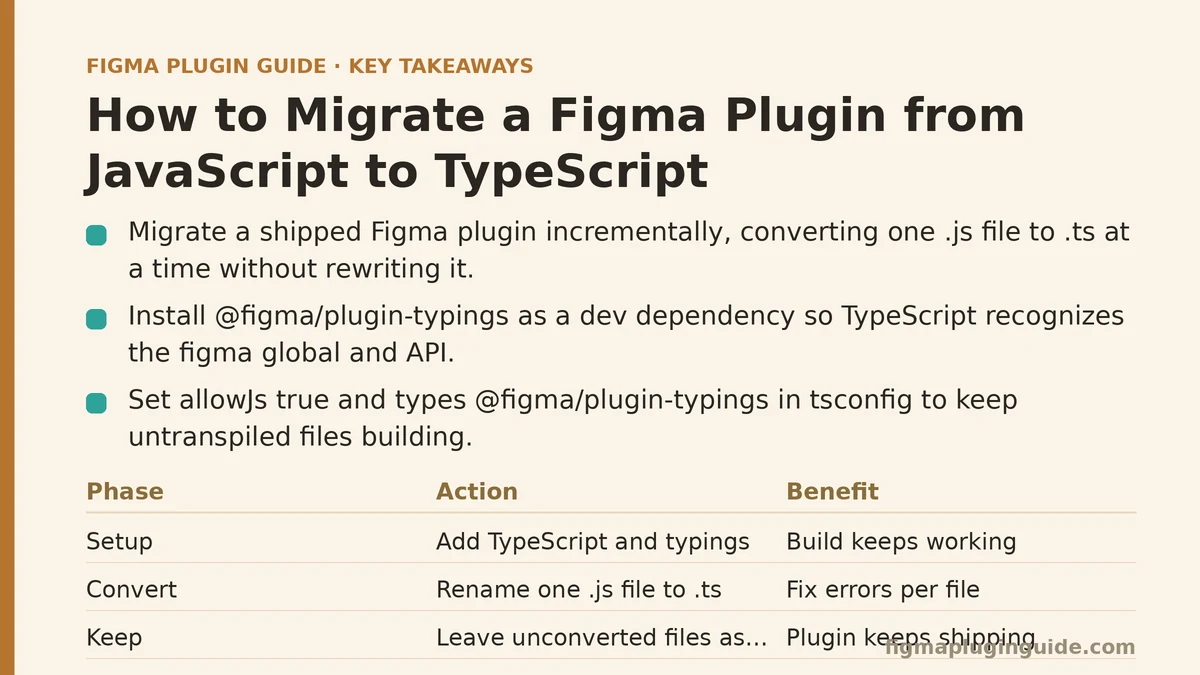
No, and trying to do so is the most common reason migrations stall halfway through. TypeScript compiles down to JavaScript, and a TypeScript project can include plain .js files alongside .ts files without issue, provided your tsconfig.json is set up to allow it.
That means the practical migration path looks like this:
- Set up the TypeScript build toolchain first, with your existing JavaScript files left untouched.
- Rename one file at a time from
.jsto.ts, fixing whatever type errors surface in that file before moving to the next. - Leave files you haven’t converted yet as
.js, withallowJs: trueset in your config so the build doesn’t break in the meantime.
This file-by-file approach means the plugin keeps working — and keeps shipping updates, if you’re actively maintaining it — throughout the entire migration, rather than sitting in a half-finished, unbuildable state for however long the conversion takes.
What does the initial TypeScript setup actually involve?
Three pieces need to be in place before you convert your first file.
The TypeScript compiler itself, installed as a dev dependency via npm or yarn. Nothing unusual here compared to any other TypeScript project.
The Figma plugin typings package, @figma/plugin-typings, also installed as a dev dependency. This is the piece specific to Figma plugin development — it provides type definitions for the entire plugin API, from figma.currentPage down to individual node property types. Without it, TypeScript treats figma as an undeclared global and every API call throws an error.
A tsconfig.json configured for the plugin sandbox environment. Figma plugins run in a restricted JavaScript environment (not a full browser, not Node), so your config needs "types": ["@figma/plugin-typings"] referenced explicitly, along with a target and lib setting compatible with what the plugin sandbox actually supports. Getting this wrong tends to produce confusing errors about missing DOM types or missing globals that have nothing to do with your actual plugin logic — worth double-checking against Figma’s own plugin quickstart documentation if your config throws errors that seem unrelated to your code.
Which files should I convert first?
Start with files that have the fewest dependencies on other files in your codebase — utility functions, constants, small helper modules. These convert cleanly and quickly, which builds momentum and gives you a feel for the kinds of type errors your specific codebase tends to produce before you tackle anything complicated.
Save the main plugin controller file — the one handling figma.ui.onmessage, node creation, and the bulk of your plugin’s core logic — for later in the process. It’s usually the largest file, the most interconnected with everything else, and the one where type errors will be densest. Converting it after you’ve already built up familiarity with common Figma API typing patterns from the smaller files makes the process noticeably faster than starting there cold.
If your plugin has a UI panel built with a separate framework (React, Svelte, plain HTML/JS), treat that as its own migration track. UI code runs in an iframe context rather than the plugin sandbox, and it has its own typing considerations — DOM types apply there in a way they don’t in the main plugin code, since the sandbox has no DOM access at all.
What kinds of errors should I expect to see, and which ones matter?
Converting a real file for the first time tends to produce a cluster of errors rather than a clean pass, and they generally fall into a few recognizable categories.
Implicit any errors show up constantly in early conversions, since JavaScript function parameters and variables have no declared type by default. Most of these are quick fixes — adding an explicit parameter type based on what you already know the function receives.
Mixed-type property errors are specific to the Figma API and worth understanding rather than dismissing. Properties like fills or strokes on a node can be either an array of paint objects or the special figma.mixed symbol, when a selection contains nodes with differing values for that property. TypeScript will flag any code that assumes fills is always an array without first checking for the mixed case — and this is usually pointing at a genuine bug your JavaScript version had silently, where mixed selections produced incorrect behavior nobody noticed yet.
Node type narrowing errors occur when your code calls a method or accesses a property that only exists on certain node types, without first confirming the node is that type. node.characters only exists on TextNode, for instance, so calling it on a generic SceneNode without a type check first will error. The fix is an if (node.type === "TEXT") guard, which TypeScript recognizes and uses to narrow the type within that block.
The errors worth pausing on are the mixed-property and node-narrowing categories, since they often represent real edge cases your original JavaScript handled incorrectly or not at all. The implicit any errors, by contrast, are mostly bookkeeping — necessary, but rarely revealing anything about your plugin’s actual behavior.
Are there errors safe to suppress rather than fix immediately?
Sparingly, yes — but suppression should be a deliberate, temporary decision, not a default response to anything that slows the migration down.
The @ts-ignore comment (or the slightly more precise @ts-expect-error) suppresses a single line’s type error without fixing the underlying issue. This has a legitimate use during migration: a large, gnarly function you haven’t fully converted yet can have a handful of lines suppressed so the rest of the file compiles, letting you come back to that specific spot once you’ve built up more context on the surrounding code.
What suppression shouldn’t become is a permanent substitute for handling the mixed-property or node-narrowing cases described above. Those errors are frequently catching something real, and suppressing them just to make the compiler quiet again reintroduces the exact bug class TypeScript migration was meant to eliminate in the first place. A reasonable rule: if you’re suppressing an error, leave a comment explaining why, and revisit it before considering that file’s migration complete.
How long does a migration like this typically take?
It scales with codebase size and how tangled the dependencies between files are — a plugin with a handful of well-separated files converts in an afternoon, while a large plugin with a monolithic controller file handling everything from UI messaging to node manipulation to network requests can take considerably longer to work through properly.
Working file-by-file rather than attempting everything simultaneously keeps the time investment visible and interruptible: you can convert two or three files during a slower week, put the migration down for a stretch of feature work, and pick it back up without having left the plugin in a broken state in the interim. That flexibility is the main argument for the incremental approach over a dedicated rewrite sprint.
A Quick Reference for the Migration Process
| Step | What It Involves | When to Do It |
|---|---|---|
Install TypeScript + @figma/plugin-typings | Dev dependencies, plugin-specific type definitions | Before converting any files |
Configure tsconfig.json | Sandbox-appropriate target/lib settings, typings reference | Before converting any files |
| Convert low-dependency files | Utilities, constants, small helpers | Early in the migration |
| Convert the main controller file | Core plugin logic, figma.ui.onmessage handling | After building familiarity with common errors |
| Convert UI panel code separately | DOM-aware typing, distinct from sandbox code | As its own track, in parallel or after |
| Review suppressed errors | Confirm @ts-ignore uses are documented and temporary | Before calling migration complete |
Is the migration worth doing for a small, simple plugin?
It depends on how much longer the plugin will be maintained and modified. A plugin that’s essentially finished and rarely touched again gets limited benefit from a type-safety investment that mostly pays off over repeated future changes. A plugin still under active development, especially one where other contributors might eventually touch the code, benefits from the migration proportionally more the longer its remaining lifespan is.
If you’re unsure which category your plugin falls into, the file-by-file approach described above hedges against that uncertainty reasonably well — you can convert a few low-risk files, evaluate whether the type-checking is catching real issues or just adding overhead, and stop there if the payoff doesn’t seem to justify continuing further into the codebase.
Where are you currently stuck in a JavaScript-to-TypeScript migration — initial setup, a specific error category, or deciding which file to tackle next? Describe what you’re seeing and I can help narrow down the next step.
Related guides: A Beginner’s Guide to Building Your First Figma Plugin from Scratch, Figma Plugin Development with TypeScript: Complete Setup, and Building a Figma Plugin That Generates Responsive Type Scales for Beginners.