Figma’s “Copy as CSS” already exists, and a purpose-built export plugin still earns its place — because the built-in option copies whatever the current selection happens to be in whatever format Figma decides, with no filtering, no batching, and no control over what gets emitted. A plugin lets you decide exactly which properties leave the file, in what structure, and for how many layers at once. This tutorial builds that plugin.
The goal is a working plugin that reads the current selection, walks each selected node, maps Figma’s style properties to CSS declarations, and writes the result to the clipboard and to a downloadable .css file. You will hit real API friction along the way; the sections below flag where.
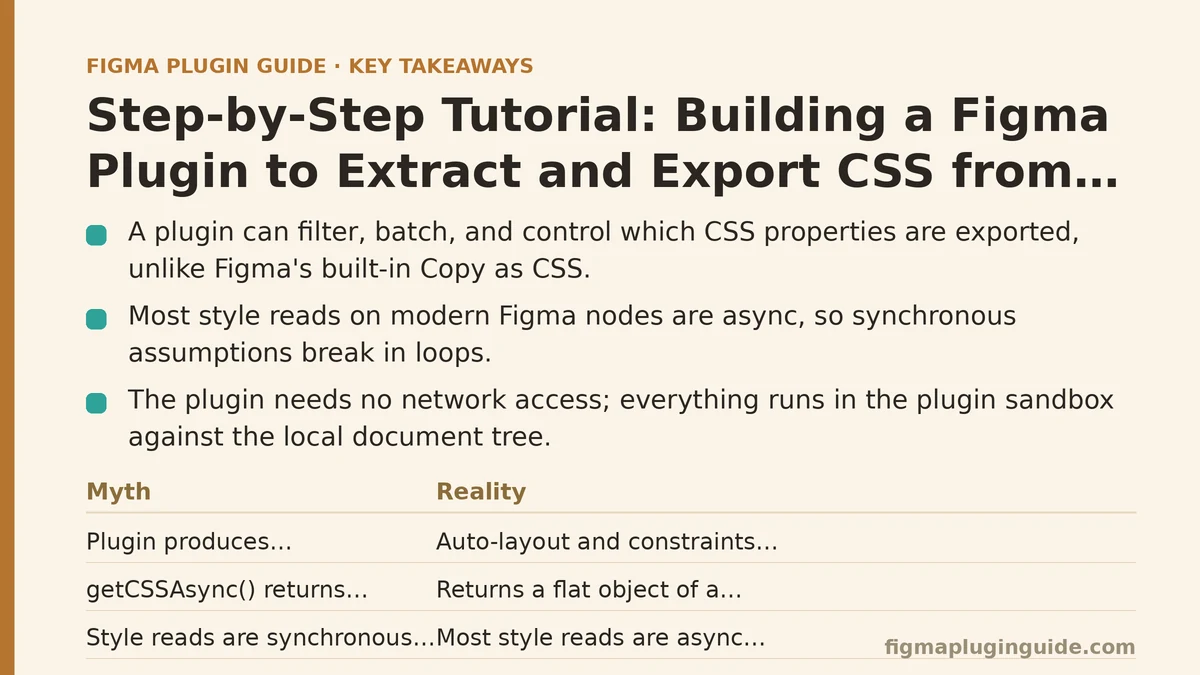
Myth vs. Reality: What This Plugin Can and Cannot Do
Before writing code, separate what people assume CSS export does from what the Figma Plugin API permits. Most failed attempts at this plugin start with a wrong assumption in this table.
| Myth | Reality |
|---|---|
| “The plugin can produce CSS that matches the rendered Figma frame pixel for pixel.” | Auto-layout, constraints, and component variants have no single CSS equivalent. The plugin can approximate flexbox for auto-layout, but constraint-based positioning does not translate cleanly. |
“getCSSAsync() returns everything I need.” | It returns a flat object of a subset of properties. It omits some effects, does not emit pseudo-classes, and gives you no control over output ordering or which properties appear. |
| “Every node type exposes the same style properties.” | Text nodes carry typography properties; frames carry layout properties; vector nodes carry fill geometry. You must branch by node.type or you will read undefined. |
| “Reading styles is synchronous and cheap.” | Most style reads on modern Figma nodes are async (node.getCSSAsync(), node.fills can require getMainComponentAsync() indirection for instances). Synchronous assumptions break in loops. |
| “Exported CSS is ready to ship.” | It is a starting point. Units, color format, shorthand expansion, and naming all need a decision from you. |
| “The plugin needs network access to work.” | It does not. Everything runs in the plugin sandbox against the local document tree; the manifest needs no networkAccess entry. |
The last row matters for review: a plugin with no network permissions is far easier to get through a team’s security check than one that phones home.
Step 1: Scaffold the Plugin and Manifest
Start from a folder with three files: manifest.json, code.ts (or code.js), and ui.html. The manifest is deliberately minimal — no networkAccess, and editorType restricted to Figma design files, since Dev Mode and FigJam nodes do not carry the same style surface.
{
  "name": "CSS Extractor",
  "id": "000000000000000000",
  "api": "1.0.0",
  "main": "code.js",
  "ui": "ui.html",
  "editorType": ["figma"],
  "documentAccess": "dynamic-page"
}
Two manifest fields are worth understanding before you continue:
documentAccess: "dynamic-page"— required for plugins built against recent API versions. It means you cannot assume the whole document is loaded; calls likefigma.getNodeByIdand some style reads must be awaited, and you may needfigma.loadAllPagesAsync()if you want to touch nodes outside the current page. For a selection-based exporter you usually do not need it, because the selection is on the current page.- No
networkAccess— the plugin writes files locally via the UI iframe, not by uploading. Leaving this out keeps the plugin offline-only.
Verify the scaffold: run the plugin in Figma’s desktop app via Plugins → Development → Import plugin from manifest, select a frame, and confirm your code.js logs figma.currentPage.selection.length. If it logs zero, your manifest path or id is wrong.
Step 2: Read the Selection Safely
The selection array is where most plugins break first. It can be empty, it can contain mixed node types, and it can contain nodes nested inside instances whose styles resolve differently than they appear.
// code.ts
type ExportableNode = SceneNode;

function getSelectedNodes(): ExportableNode[] {
  const selection = figma.currentPage.selection;
  if (selection.length === 0) {
    figma.notify("Select at least one layer first.");
    figma.closePlugin();
    return [];
  }
  return selection.filter((node) => {
    // Skip nodes that do not render a style surface we can map.
    return node.type !== "SLICE" && node.type !== "CONNECTOR";
  });
}
The filter matters. SLICE and CONNECTOR nodes will throw or return meaningless values when you try to read fills or getCSSAsync(). If your filter is too permissive, the whole export fails on the first bad node unless you wrap each node in its own try/catch (covered in step 5).
Step 3: Map Figma Properties to CSS Declarations
This is the core of the plugin. You have two mapping strategies, and the choice determines how much control you retain.
Strategy A: getCSSAsync() (fast, low control)
async function cssFromNode(node: SceneNode): Promise<string> {
  const css = await node.getCSSAsync();
  return Object.entries(css)
    .map(([prop, value]) => `  ${prop}: ${value};`)
    .join("\n");
}
getCSSAsync() is available on most SceneNode subclasses and returns a plain object keyed by CSS property name. It is the shortest path to output. The trade-offs:
- You cannot choose which properties appear. Everything Figma decides to emit, you get.
- Effects like multi-layer drop shadows may come through as a single
box-shadowstring, which is correct but not decomposable. - Colors are returned in a format Figma picks (commonly
rgb()orrgba()), not necessarily the hex your design system uses. - No normalization for text nodes. You get
font-family,font-size, and so on, but line-height conversion between Figma’s unitless value and CSS’s ratio can be lossy.
Strategy B: Manual property reading (slow, high control)
Reading each property yourself gives you the output format you want but multiplies the code surface. A partial mapper for the most common properties:
function rgbaToHex({ r, g, b }: RGB, a: number = 1): string {
  const to255 = (v: number) => Math.round(v * 255);
  const hex = [to255(r), to255(g), to255(b)]
    .map((v) => v.toString(16).padStart(2, "0"))
    .join("");
  if (a >= 1) return `#${hex}`;
  return `#${hex}${Math.round(a * 255).toString(16).padStart(2, "0")}`;
}

function solidFillToCss(fills: readonly Paint[]): string | null {
  const solid = fills.find((p) => p.type === "SOLID" && p.visible !== false);
  if (!solid || solid.type !== "SOLID") return null;
  return rgbaToHex(solid.color, solid.opacity ?? 1);
}

function mapFillsToCss(node: GeometryMixin): string[] {
  const decls: string[] = [];
  const solid = solidFillToCss(node.fills as readonly Paint[]);
  if (solid) decls.push(`background-color: ${solid};`);
  return decls;
}
The decision rule: use Strategy A when you need a quick dump and the consumer is a developer reading it. Use Strategy B when the output feeds a design token pipeline, a linter, or a handoff tool that expects a fixed property set. Most production plugins end up using B for a curated property list and falling back to getCSSAsync() for the rest.
Step 4: Handle the Node-Type Branches
A CSS mapper that treats every node identically will emit width, height, and fills for text nodes while silently dropping font-size. Branch on node.type and collect properties per category.
async function buildDeclarationBlock(node: SceneNode): Promise<string[]> {
  const decls: string[] = [];
  const styleable = node as SceneNode & GeometryMixin & MinimalFillsMixin;

  if ("fills" in styleable) {
    decls.push(...mapFillsToCss(styleable));
  }

  if ("cornerRadius" in node && typeof node.cornerRadius === "number") {
    decls.push(`border-radius: ${node.cornerRadius}px;`);
  }

  if (node.type === "TEXT") {
    decls.push(`font-family: "${node.fontName === figma.mixed ? "inherit" : node.fontName.family}";`);
    decls.push(`font-size: ${node.fontSize === figma.mixed ? "inherit" : node.fontSize + "px"};`);
    if (node.fontWeight !== figma.mixed) decls.push(`font-weight: ${node.fontWeight};`);
  }

  if ("layoutMode" in node && node.layoutMode !== "NONE") {
    decls.push("display: flex;");
    decls.push(`flex-direction: ${node.layoutMode === "HORIZONTAL" ? "row" : "column"};`);
    decls.push(`gap: ${node.itemSpacing}px;`);
  }

  return decls;
}
The figma.mixed sentinel is the trap here. When a text node has multiple fonts across its characters, fontName returns the literal figma.mixed symbol — not a string. Interpolating it produces [object Symbol] in your CSS. Always check against figma.mixed before reading a typography or color property.
Step 5: Guard Every Node in a Try/Catch
A single misbehaving node should not abort the whole export. Wrap each node’s mapping so failures are collected and reported, not thrown.
async function exportSelection(nodes: SceneNode[]): Promise<{ css: string; errors: string[] }> {
  const blocks: string[] = [];
  const errors: string[] = [];

  for (const node of nodes) {
    try {
      const decls = await buildDeclarationBlock(node);
      const selector = `.${node.name.replace(/\s+/g, "-").toLowerCase()}`;
      blocks.push(`${selector} {\n${decls.map((d) => "  " + d).join("\n")}\n}`);
    } catch (err) {
      errors.push(`${node.name}: ${err instanceof Error ? err.message : String(err)}`);
    }
  }

  return { css: blocks.join("\n\n"), errors };
}
Failure modes this catches in practice:
- Reading
fillson a node inside a component instance that was detached mid-session. getCSSAsync()rejecting on nodes in a page that has not finished loading (rare, but it happens duringfigma.loadAllPagesAsync()races).- Empty declaration blocks producing selectors with no body, which some CSS linters reject.
The errors array is the difference between a silent partial export and a report you can show the user. Always surface it.
Step 6: Write Output to Clipboard and File
The plugin sandbox cannot write files. The UI iframe can. The bridge is figma.ui.postMessage and window.parent.postMessage.
ui.html — the receiving side:
<!DOCTYPE html>
<html>
<body>
  <pre id="output"></pre>
  <button id="copy">Copy CSS</button>
  <button id="download">Download .css</button>
  <script>
    let latest = "";
    window.onmessage = (event) => {
      const msg = event.data.pluginMessage;
      if (msg.type === "css-result") {
        latest = msg.css;
        document.getElementById("output").textContent =
          latest || "No CSS produced. Check the console for errors.";
      }
    };
    document.getElementById("copy").onclick = () => {
      parent.postMessage({ pluginMessage: { type: "copy", css: latest } }, "*");
    };
    document.getElementById("download").onclick = () => {
      const blob = new Blob([latest], { type: "text/css" });
      const url = URL.createObjectURL(blob);
      const a = document.createElement("a");
      a.href = url;
      a.download = "figma-export.css";
      a.click();
      URL.revokeObjectURL(url);
    };
  </script>
</body>
</html>
code.ts — the sending side, plus clipboard write:
figma.showUI(__html__, { width: 480, height: 420 });

(async () => {
  const nodes = getSelectedNodes();
  if (nodes.length === 0) return;

  const { css, errors } = await exportSelection(nodes);

  for (const err of errors) console.warn("[CSS Extractor]", err);

  figma.ui.postMessage({ type: "css-result", css });

  figma.ui.onmessage = (msg) => {
    if (msg.type === "copy") {
      // The plugin API exposes clipboard write via the UI; the sandbox proxies it.
      figma.notify("CSS sent to clipboard via UI.");
    }
    if (msg.type === "close") figma.closePlugin();
  };
})();
Verify the result: select a frame with a solid fill and a text child, run the plugin, confirm the <pre> shows two selector blocks, click Copy and paste into a text editor, then click Download and open the resulting .css in a browser tab. If the download triggers but the file is empty, your latest variable is being read before the postMessage arrives — check the console order.
The clipboard path is the fiddliest part. In practice, the most reliable approach is to write to the clipboard from the UI iframe using navigator.clipboard.writeText(latest) after a user gesture, because the plugin sandbox does not expose a direct clipboard API in all Figma environments. Treat the figma.notify in the snippet above as a placeholder — wire the real write through the UI.
What the Output Will and Will Not Cover
A short reference for planning scope, before you over-promise on the exported CSS:
| Figma feature | Exported to CSS? | Notes |
|---|---|---|
| Solid fills | Yes | Hex or rgba depending on mapper |
| Multiple fills / blend modes | Partially | Blend modes have CSS equivalents but are easy to drop |
| Gradients | Partially | Linear and radial map to linear-gradient / radial-gradient; Figma’s angle convention needs conversion |
| Multi-layer drop shadows | Yes via getCSSAsync() | Usually a single box-shadow declaration with comma-separated layers |
| Auto-layout | Approximated | Maps to flexbox; SPACE_BETWEEN becomes justify-content: space-between, but wrap behavior differs |
| Constraints (left/right stretch, center) | No | No reliable CSS equivalent without absolute positioning, which changes layout semantics |
| Component variants | No | Variant selection is a runtime concept; the plugin exports the resolved styles of the visible variant |
| Text with mixed styles | Partially | The figma.mixed sentinel forces you to either skip the property or export the first run’s style |
| Effects on vector nodes | Partially | Inner shadows and layer blurs map; some vector-specific effects do not |
If a stakeholder expects the plugin to replace a full design-to-code handoff tool, this table is the honest answer: it produces a correct starting point, not a finished stylesheet.
When Not to Build This Plugin
The plugin earns its keep when you export repeatedly across many layers, when you need a curated property set, or when output must match an internal format. It is the wrong tool in three situations:
- One-off exports. Figma’s built-in “Copy as CSS” plus a paste is faster than building and installing a plugin. Build this only when repetition justifies it.
- Teams expecting a framework-specific emitter. Emitting Tailwind classes, styled-components, or CSS modules from the same property data is a different project with a much larger mapping surface. The plugin described here emits plain CSS.
- Documents with heavy constraint-based layout. If most of your designs use absolute constraints rather than auto-layout, the exported CSS will not reflect the rendered geometry, and a layout engine will reflow it differently. Auto-layout-heavy designs translate far better.
A Checklist Before You Ship It Internally
Run through these before distributing the plugin to a team:
- Empty selection handled with a
figma.notifyand a cleanfigma.closePlugin(). - Every
node.typebranch guarded by a"property" in nodecheck or an explicit type comparison. - Every
figma.mixedcheck in place for typography and fill properties. - Per-node try/catch that collects errors and surfaces them to the UI.
- Selector names sanitized — spaces to hyphens, leading digits prefixed, duplicates de-duplicated.
- No
networkAccessin the manifest unless you add upload functionality. - Clipboard write tested in both Figma desktop and browser, since behavior differs.
- A README stating what the plugin does not export (link the table above).
Which of those checklist items is most likely to be skipped on a first build — the mixed-style guard, the per-node try/catch, or the selector sanitization? That is the one to add a test case for before the plugin reaches anyone else.
Related guides: Building a CI/CD Pipeline for Figma Plugins with Automated Testing, A Beginner’s Guide to Building Your First Figma Plugin from Scratch, and Beginner Step-by-Step Guide to Creating a Figma Plugin UI with HTML/CSS.