By the end of this tutorial you will be able to export design tokens from a Figma file, transform them into a tailwind.config.js theme, and run a repeatable sync step that updates the config whenever the Figma source changes. The focus is the concrete pipeline — the plugins and file formats you can pull from, the transform code, and the specific breakages that tend to appear once the loop is automated.
The sections below are organized as a troubleshooting checklist rather than a narrative. Each entry names a symptom you will likely hit, the underlying cause, and a fix. Work through them in order if you are building the sync for the first time; jump to a specific heading if something is already failing.
Symptom: There Is No Stable Format to Export From Figma
Cause: Figma files themselves are not a portable token format. A color style or a variable lives inside the document, and the shape it takes when exported depends entirely on which plugin or API produced the export. Before writing any transform code, you have to choose the intermediate format the pipeline will consume.
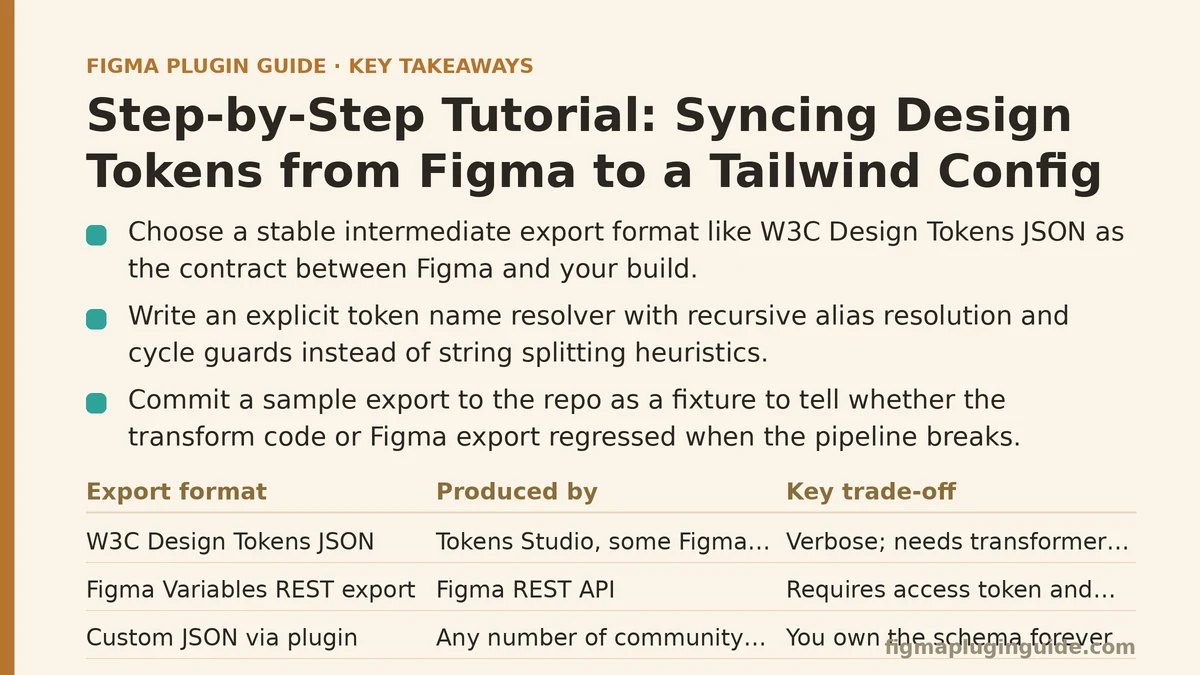
Fix: Pick one export format and treat it as the contract between Figma and your build. Three formats dominate in practice, and they behave differently enough that the choice should be deliberate.
| Export format | Produced by | Strengths | Trade-offs |
|---|---|---|---|
| W3C Design Tokens JSON | Tokens Studio, some Figma Variables exporters | Standardized schema, tool-agnostic, handles aliases and composite tokens | Verbose; requires transformer tooling (Style Dictionary) to reach Tailwind |
| Figma Variables REST export | Figma REST API (GET /v1/files/:key/variables/local) | Native to Figma, no third-party plugin | Requires an access token and enterprise/org plan for the variables endpoint; flat structure, limited type metadata |
| Custom JSON via plugin | Any number of community plugins | Simple to emit exactly what you need | You own the schema forever; breaks when the plugin changes |
For most teams the W3C Design Tokens format is the right default. It is a published spec, most exporters can produce it, and it maps cleanly to a Tailwind theme once you decide how token groups become config keys. The REST export route is worth it only if you are already on a plan that exposes the Variables API and want to remove external plugins from the loop.
Whichever you pick, commit a sample export to the repository as a fixture. If the pipeline breaks, that fixture tells you whether the transform code regressed or the Figma-side export changed shape.
Symptom: Token Names Do Not Map Cleanly to Tailwind Keys
Cause: Figma token names are human-facing strings like color/brand/primary-hover. Tailwind theme keys are JavaScript object paths like colors.brand.primary-hover. A naive string split works for flat names and falls over on names containing hyphens, multiple nesting levels, or aliases that reference another token.
Fix: Write an explicit resolver rather than relying on string splitting heuristics. The transform below reads a W3C-format token file and produces the theme.extend object.
// scripts/figma-tokens-to-tailwind.mjs
import { readFile, writeFile } from 'node:fs/promises';

const raw = JSON.parse(await readFile('./tokens/figma-export.json', 'utf-8'));

// Resolve {value, type} leaves into plain values, following aliases like "{color.brand.primary}"
function resolve(token, allTokens, seen = new Set()) {
  if (typeof token === 'string' && token.startsWith('{') && token.endsWith('}')) {
    const path = token.slice(1, -1).split('.');
    if (seen.has(token)) throw new Error(`Circular alias: ${token}`);
    seen.add(token);
    const target = path.reduce((acc, key) => acc?.[key], allTokens);
    if (!target) throw new Error(`Unresolved alias: ${token}`);
    return resolve(target.value, allTokens, seen);
  }
  return token;
}

function walk(node, path = []) {
  if (node && typeof node === 'object' && 'value' in node && 'type' in node) {
    return { [path.join('.')]: resolve(node.value, raw) };
  }
  const out = {};
  for (const [key, child] of Object.entries(node ?? {})) {
    Object.assign(out, walk(child, [...path, key]));
  }
  return out;
}

const flat = walk(raw);
const theme = { extend: { colors: {}, spacing: {}, borderRadius: {}, fontSize: {} } };

for (const [dotted, value] of Object.entries(flat)) {
  const [group, ...rest] = dotted.split('.');
  const key = rest.join('.');
  if (group === 'color' || group === 'colors') theme.extend.colors[key] = value;
  else if (group === 'spacing' || group === 'size') theme.extend.spacing[key] = value;
  else if (group === 'radius' || group === 'borderRadius') theme.extend.borderRadius[key] = value;
  else if (group === 'fontSize' || group === 'typography.size') theme.extend.fontSize[key] = value;
  // Unmapped groups are collected, not silently dropped — see the next section.
  else (theme._unmapped ??= {})[dotted] = value;
}

await writeFile('./tailwind.tokens.js', `export default ${JSON.stringify({ theme }, null, 2)};\n`);
console.log(`Wrote ${Object.keys(flat).length} tokens to tailwind.tokens.js`);
Two details in that script are load-bearing. First, alias resolution is recursive and guards against cycles — Figma token sets commonly contain aliases like primary-hover → primary, and a token that aliases itself or loops back through another will hang a naive resolver. Second, unmapped groups are collected under _unmapped instead of being discarded. If a designer adds a shadow or opacity token group tomorrow, the transform output will show it immediately rather than quietly ignoring it.
Symptom: The Generated Config Is Not Applied
Cause: Tailwind reads tailwind.config.js (or .ts, .mjs, .cjs) from the project root by default. A token file written to a separate path, or written as a .mjs export when the config is the default .js, will not be picked up. The build succeeds and the classes resolve to nothing — which is harder to notice than a build failure.
Fix: Import the generated file into the main config rather than replacing it, so the hand-written parts of your theme stay intact.
// tailwind.config.js
import tokens from './tailwind.tokens.js';

/** @type {import('tailwindcss').Config} */
export default {
  content: ['./src/**/*.{html,js,jsx,ts,tsx}'],
  theme: {
    extend: {
      ...tokens.theme.extend,
    },
  },
  plugins: [],
};
Keep tailwind.tokens.js in .gitignore if you regenerate it on every build, or commit it if you want diffs in code review. Committing is usually the better choice early on because it makes accidental token changes visible in pull requests. Once the pipeline is stable and the generated file produces mostly noise in reviews, switch to regenerating it during CI and stop committing.
Verification step: After wiring the import, run a build and grep the output for one of your token values. If color/brand/primary resolves to #3b82f6 in Figma, the compiled CSS should contain that hex value somewhere. If it does not, the token group did not map to a Tailwind key — check the unresolved-groups output from the transform script.
Symptom: The Config Drifts From Figma Over Time
Cause: A one-time export is not a sync. A designer adds a new color style, a developer updates the config by hand for a hotfix, and six weeks later the two sources disagree. Neither side knows it.
Fix: Add a check step that regenerates tokens and compares them against what is committed. The comparison is the whole value of the pipeline — it turns silent drift into a failed build.
# scripts/verify-tokens.sh
set -euo pipefail

node ./scripts/figma-tokens-to-tailwind.mjs
if ! git diff --exit-code -- tailwind.tokens.js; then
  echo "Design tokens are out of sync with Figma. Run the export and commit the result."
  exit 1
fi
Run that in CI on every pull request that touches tailwind.tokens.js, the token fixture, or the transform script. When it fails, the developer knows to re-run the export and either commit the new tokens or investigate why Figma changed unexpectedly. This pattern is the same one used for lockfile checks and generated API clients, and it works here because the generated file is deterministic given a fixed input.
If you want the pipeline to pull fresh tokens from Figma on each run rather than from a committed fixture, add the extraction step before the transform. That requires a Figma access token in CI secrets and a decision about whether every CI run should see Figma’s current state or the state committed to the repository. Committed fixtures keep builds reproducible; live pulls keep the config current. Most teams start with fixtures and move to a scheduled live pull once the transform is trusted.
Symptom: Aliases Break After an Export
Cause: Different exporters handle aliases differently. Some emit the referenced token’s value directly, some emit an alias reference like {color.brand.primary}, and some emit both a value and an $extensions block with the alias metadata. A transform written against one exporter’s output will misread another’s.
Fix: Normalize before transforming. Add a small adapter that converts whatever the exporter produces into a single canonical shape, and keep the adapter versioned alongside the exporter configuration. If you change exporters later, you change the adapter rather than the transform. The alias-resolution function in the previous section assumes the W3C {path.to.token} reference syntax; if your exporter emits a different alias form, adapt it there first.
Symptom: Some Tokens Are Simply Not Worth Syncing
Cause: Figma token sets tend to accumulate things Tailwind has no use for — component-level fills, effect styles that map to CSS box-shadows in ways Tailwind’s default theme does not support, or typography combinations that do not correspond to a single utility class. Attempting to force every token into the theme produces a config that is technically complete and practically unreadable.
Fix: Deliberately scope what the pipeline owns. A reasonable boundary for a first pass:
- Sync: color groups used across surfaces and text, spacing scale, border radius, font sizes and weights, line heights.
- Do not sync: component-specific fills (handled by a component’s own tokens, or a
data-attribute), effect styles beyond a small shadow set, and breakpoint values (define these in the config by hand, since they rarely change and are easier to review as code). - Review manually: anything in the
_unmappedoutput of the transform. If a group stays unmapped for more than a release cycle, either map it or remove it from the Figma token set.
The point of scoping is not to avoid work. It is to keep the generated portion of the config small enough that a human can review a diff of it in a pull request. Once the generated file exceeds a few hundred lines, reviewers stop reading it and the sync becomes another source of unreviewed change.
A Short Checklist Before Committing to This Pipeline
- Confirm the export format is stable. Export the same Figma file twice into separate folders and diff the outputs. If the diff is noisy (ordering, metadata, timestamps), the transform needs normalization first.
- Commit a fixture. Keep a sample export in
tokens/fixtures/so the transform can be tested without contacting Figma. - Write the transform against the fixture first, then point it at the live export. Debugging a transform while its input also changes is a slow way to work.
- Wire the verify step into CI before you publish the first generated config. If the check is added later, it will fail on the very first run and be disabled under pressure.
- Decide whether
tailwind.tokens.jsis committed or generated. Whichever way you go, document it in the repository README so the next person does not fight the pipeline.
The pipeline is worth maintaining only while the generated config stays small and reviewable. If token groups multiply to the point that the transform script needs its own support rotation, the honest move is to split tokens into per-theme files (for example, tokens/brand.json and tokens/product.json) and run the transform per file, so a broken export in one area does not stall the others.
When Not to Build This
If your design system is a single Figma file with fewer than roughly twenty color and type tokens, a hand-maintained tailwind.config.js is often cheaper to keep correct than a pipeline that runs every merge. The sync earns its complexity once tokens change often enough that manual updates fall behind, or once more than one product consumes the same token set. Before that point, the failure mode — a small hand edit someone forgot — is easy to catch in review, and the pipeline’s own failure modes are not yet worth managing.
Is your Figma token set small enough that a manual config still holds up, or have changes already started outrunning your updates? That answer should decide whether to build the full sync or start with just the verify step.